
For this guide we tested and reviewed the platforms hands-on wherever a trial or demo was available, and verified each price against the vendor's own pricing page before publishing.
MarketMan is the back-of-house platform to reach for when food cost — not the front counter — is the problem you're solving: it counts stock, costs recipes, scans vendor invoices, and auto-generates purchase orders, then feeds that cost data into the POS and accounting you already run. Public pricing starts at $249/month per location, it runs on the computers and phones you own, and there's no card processing to lock into. If you're shopping for a point-of-sale or a front-of-house system, this isn't it — MarketMan is purchasing and cost control only.
MarketMan is a restaurant inventory, purchasing, and food-cost tool from MarketMan, Inc., which operates under the Meal Ticket brand — not a POS, and not a payment processor.
What Is MarketMan #
MarketMan is a cloud-based inventory management and purchasing system that sits beside your POS and accounting software as the back-of-house cost-control layer. It handles on-hand counts and transfers, real-time recipe costing, waste tracking, AI-assisted recipe optimization, purchase-order generation, AI invoice scanning, accounts-payable workflows, price tracking with alerts, and variance reporting that compares what you counted against what the POS sold.
The vendor markets itself as "trusted by 15,000+ restaurants globally" and, through parent Meal Ticket, cites support for "$50B+ in client transactions" — both marketing claims rather than independently verified figures. MarketMan targets quick service, full service, cafés, and bars, with offices and support lines across North America, the UK, and Germany.
The through-line is that a kitchen manager stops reconciling food cost in spreadsheets: an invoice photographed on the phone updates inventory, a recipe's cost moves the moment an ingredient price changes, and the week's variance shows up against POS sell-through without exporting between systems.
Features #
Inventory and counts #
The core is on-hand inventory tracking with transfers between locations and waste logging, so a manager can see where product is walking out and tighten COGS against it. Counts run from the mobile app or the web, which keeps the walk-in count off paper.
Recipe costing #
Recipes are costed in real time and tracked over time, so a rise in a supplier's price flows straight into plate cost. A digital cookbook stores recipes with allergens, and AI-assisted suggestions flag where a recipe could be reworked to protect margin.
Purchasing and ordering #
Order by Recipe auto-generates purchase orders from the recipes you're building, and Smart Ordering uses AI suggestions to order against par and cut waste. A manager approves and sends POs from web or phone, so purchasing isn't gated behind one back-office desktop.
Invoices and accounts payable #
AI-powered invoice scanning reads a photographed or uploaded invoice and auto-updates inventory from it — 50 scans a month on Starter, unlimited on Growth and above. Email invoice scanning (Enterprise), price tracking with alerts, and credit memos round out the AP workflow.
Reporting #
Standard inventory, purchasing, and COGS reports sit alongside menu-profitability views and Actual-vs-Theoretical (AVT) variance — the count-versus-POS number that tells you how much product went missing against what you sold. Advanced and tailored reports are an Enterprise-tier feature.
Multi-unit and commissary #
An HQ dashboard centralizes inventory, purchasing, and reporting across every location for multi-unit groups, and commissary add-ons extend it to a central kitchen — whether you're supplying your own units or selling to third-party restaurants and ghost kitchens.
How it connects #
MarketMan pulls sales from Square, Toast, Lightspeed, and Clover to drive AVT variance and food-cost reporting, syncs invoices to your accounting software so AP doesn't get keyed twice, and connects by EDI to distributors Sysco, US Foods, and Gordon Food Service plus buying groups GolBon and Frosty Acres to automate price updates and PO capture. A read-only API (5,000 calls/month) is included on Enterprise and sold as an add-on below it. Vendor EDI connections are US, Canada, and UK only.
Pricing #
Published per-location monthly pricing. MarketMan is a subscription tool — there's no card-processing rate or payment fee, because it isn't a POS. Annual pricing isn't published, and the Enterprise figure is a floor that's quoted up from there. The homepage also promotes "FREE setup ($1,500 value)" as a limited offer.
| Plan | Price | For | Key inclusions |
|---|---|---|---|
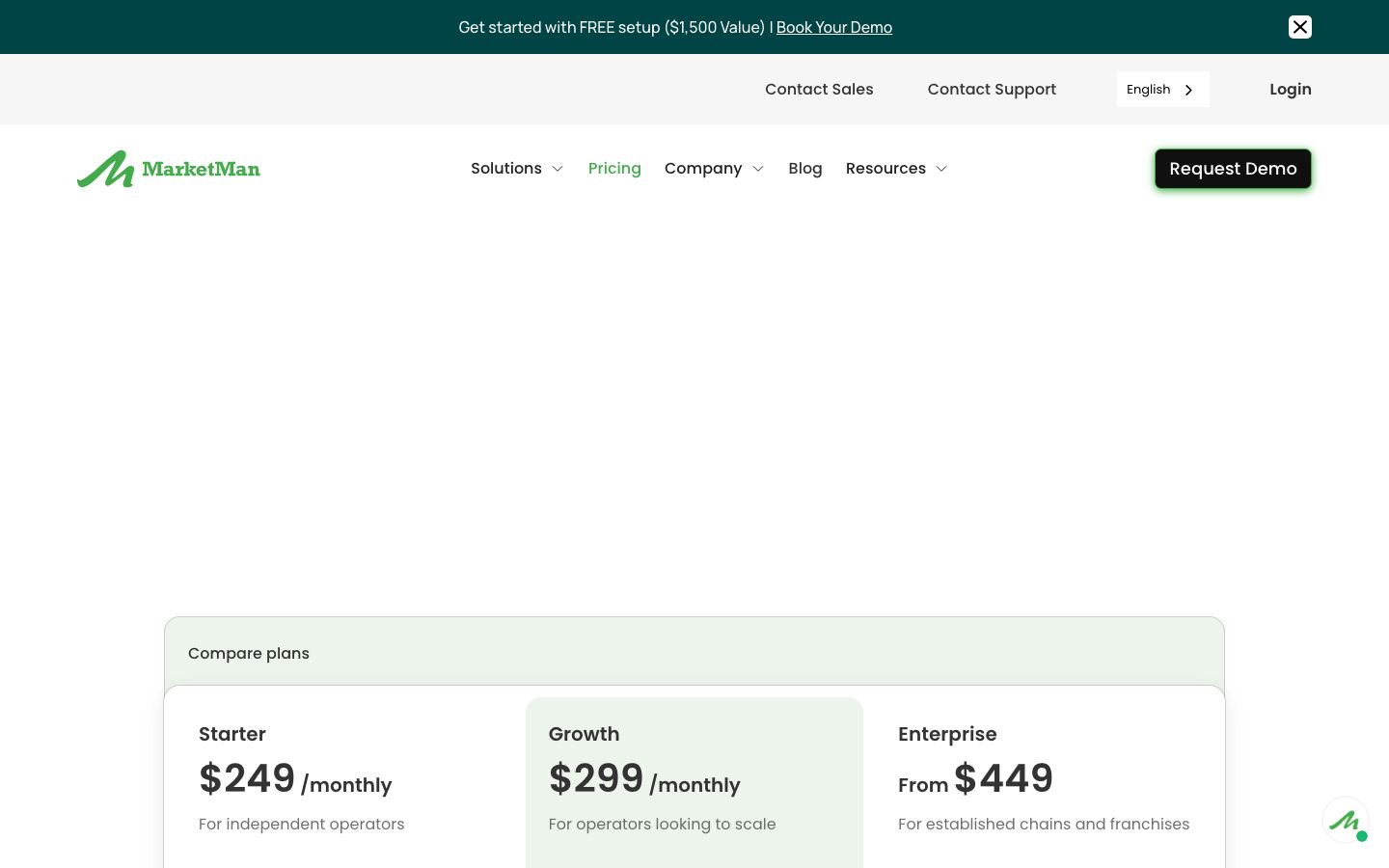
| Starter | $249 / month | Independent operators | Real-time recipe costing · Actual-vs-Theoretical reporting · waste management · 1 vendor EDI integration · 50 AI invoice scans/mo |
| Growth | $299 / month | Operators scaling up | Everything in Starter, plus Smart Ordering · Order by Recipe · AI recipe optimization · 2 vendor EDI integrations · unlimited invoice scanning |
| Enterprise | From $449 | Established chains & franchises | Everything in Growth, plus email invoice scanning · advanced reports · unlimited vendor EDI · read-only API (5,000 calls/mo) |
Add-ons attach to any plan. API access (read-only, 5,000 calls/mo) runs $25/mo for 1–3 locations up to $199/mo for 31+. Commissary is $499/mo standalone for a central kitchen feeding your own units, or $749/mo for an external commissary selling to third parties. Custom quotes are offered for operators who don't fit a listed tier.
Two practical notes to budget against: the base tiers are priced per location, so a multi-unit operator multiplies the monthly figure by its sites, and contract length isn't published on the pricing page — the Software Subscription Agreement is linked in the footer.
Who It's For (and Who It Isn't) #
Good fit: a full-service restaurant, QSR, café, or bar that's bleeding margin through food cost and still running counts and invoices by hand. The payoff is biggest where a kitchen manager owns purchasing and food cost day to day, and where an existing POS (Square, Toast, Lightspeed, Clover) can feed sales in for real variance. Multi-unit groups and central kitchens get the most from HQ and the commissary add-ons.
Weaker fit: anyone shopping for a point-of-sale or front-of-house system — MarketMan doesn't take a single order or run a terminal. A single independent watching every fixed dollar may find $249/month per location steep for one site, and an operator who wants deep write-access automation out of the API should price that the read-only cap limits it.
Is It Legit and Worth It? #
MarketMan is an established cost-control platform with a strong third-party record — Capterra 4.7 from 112 reviews, G2 4.3 from 52 — where the dominant praise is exactly its job: inventory and purchasing control, the depth of its integrations, ease of use, and responsive support. For a kitchen trying to move off spreadsheets, that's the right track record.
The recurring complaints are worth pricing in. Reviewers point to a learning curve and onboarding effort before the system clicks — this is a platform you set up deliberately, not one you switch on. The mobile app draws repeated criticism even though counts and PO approval are built to run from it, and some operators report occasional bugs. None of these are dealbreakers for an operator committed to the setup work, but budget for the ramp: the food-cost payoff arrives after the counts and recipes are loaded, not on day one.
Alternatives #
- MarginEdge — invoice-to-food-cost with built-in bill pay; the closest head-to-head, often pitched on daily food-cost reporting and flat per-location pricing.
- Restaurant365 — accounting, inventory, and scheduling in one all-in-one, for operators who want the back office consolidated rather than inventory alone.
- Craftable — inventory plus accounts payable with a strong following among bars and beverage-heavy programs.
- xtraCHEF — Toast-owned invoice and food-cost automation, the natural pick if you already run Toast POS.
- Compare the field in our restaurant inventory management software guide.
Login & Support #
Operators sign in through the "Login" link in the site header (web app), with native apps on the Apple App Store and Google Play for counts, PO approval, and cookbook access. Every plan includes multi-tier support — a support team, a customer success manager, and professional training scaled to the plan. Sales reaches at [email protected], with phone lines in North America, the UK, and Germany.
Estimate your MarketMan cost
Uses published $249.00/location/mo starting rate. Updates as you type.
Estimator uses vendor-published list rates as anchor. Actual quotes vary by add-ons (member reporting, class scheduling, payment data feeds, active members tier) — request a written quote before signing.
Book a MarketMan demo
Vendor-facilitated. We forward your request to their sales team within 24 hours.
- Choose a preferred date + time slot
- 30-minute product walkthrough
- Custom pricing based on your seat count
Screenshots
Pros
- Purpose-built inventory, purchasing, and food-cost control — the job reviewers praise most
- AI invoice scanning auto-updates inventory from a photographed or uploaded invoice
- Order by Recipe and Smart Ordering auto-generate purchase orders against par to cut waste
- Pulls POS sales from Square, Toast, Lightspeed, and Clover for Actual-vs-Theoretical variance
- Runs on the Windows, Mac, iOS, and Android devices you already own — no proprietary hardware
- Direct EDI to Sysco, US Foods, and Gordon Food Service automates price updates and PO capture
Cons
- A learning curve before the system clicks — setup is deliberate, not switch-on
- The mobile app draws repeated criticism even though counts and PO approval run from it
- Onboarding effort to load counts, recipes, and vendors is a real up-front investment
- Occasional bugs reported by some operators
- Base tiers are priced per location, so multi-unit cost multiplies across sites
- API access is read-only (5,000 calls/mo), limiting deeper write-access automation
Frequently Asked Questions
Similar Restaurant Inventory Management Software Tools
User Reviews
Write a reviewNo reviews yet for MarketMan.
Be the first to review