The best restaurant POS systems ranked by who each one is for — full-service, QSR, bars, cafes, food trucks, and multi-unit. Real prices, processing rates, and honest cons.
Best POS Systems for Restaurants, Ranked by Segment
The best restaurant POS systems ranked by who each one is for — full-service, QSR, bars, cafes, food trucks, and multi-unit. Real prices, processing rates, and honest cons.

For this guide we tested and reviewed the platforms hands-on wherever a trial or demo was available, and verified each price against the vendor's own pricing page before publishing.
For most full-service restaurants, Toast is the default all-in-one and the safest first look; if you are small, seasonal, or want to open on a free plan, Square for Restaurants is the better starting point; and if deep reporting across multiple locations is the thing that keeps you up at night, Lightspeed earns the spend. There is no single "best" POS — the right one depends on your service model, your card volume, and how much contract you are willing to sign. Below are seven systems we would actually put in front of an operator, each ranked by the segment it fits, with real prices, the processing rate where it is public, and one honest caveat apiece.

Toast
Pros
- Genuinely all-in-one: POS, payments, online ordering, payroll, loyalty, and inventory under one vendor
- Restaurant-native workflows — coursing, modifiers, tips, and KDS routing built in, not bolted on
- Ease of use for both staff and guests is the dominant praise across reviews
- Offline mode keeps orders, tickets, and card payments running through a network drop
- Deep digital stack: branded app, QR order-and-pay, and DoorDash/Uber Eats/Grubhub consolidation
- 24/7/365 Toast Care support included in every subscription
Cons
- You must process card payments through Toast — no bringing your own processor
- Runs only on Toast's proprietary hardware, not off-the-shelf iPads or Android tablets
- Reviewers want easier open-API integrations and deeper, configurable reporting
- Multi-location operators cite permission and data-handling limits across locations
- Contract terms and the sales process draw recurring friction; read the merchant agreement
- Intermittent bugs and occasional downtime reported by some operators
At a glance
- Pricing
- Paid
- From
- $0.00/mo
- Free trial
- No
- Best for
- Smb, Mid Market, Enterprise

TouchBistro
Pros
- Restaurant-native iPad POS — tableside ordering, floor plans, coursing, and modifiers built for dining rooms, not retail
- Low $69/month entry for the core POS, with no POS features locked out of the base plan
- Processor-flexible — works with a range of payment processors instead of forcing one in-house rate
- Commission-free own-brand online ordering, unlike third-party delivery marketplaces
- Ease of use is the dominant praise across reviews; 24/7 phone and email support included
- Broad add-on stack: KDS, inventory, labor, loyalty, reservations, gift cards under one vendor
Cons
- Reporting depth is the #1 complaint — daily/EOM reports miss comps, promos, and dine-in vs takeout splits
- The all-in-one modules (KDS, inventory, online ordering, loyalty) are quote-only add-ons above the $69 headline
- Contract and billing friction, including reports of continued charges after cancellation
- Post-sale support reachability draws recurring complaints (even as support-when-reached is praised)
- Updates that interrupt during service and occasional downtime reported by some operators
- Payment-processing friction reported by some users; the processing rate is quote-only
At a glance
- Pricing
- Paid
- From
- $69.00/mo
- Free trial
- No
- Best for
- Smb, Mid Market
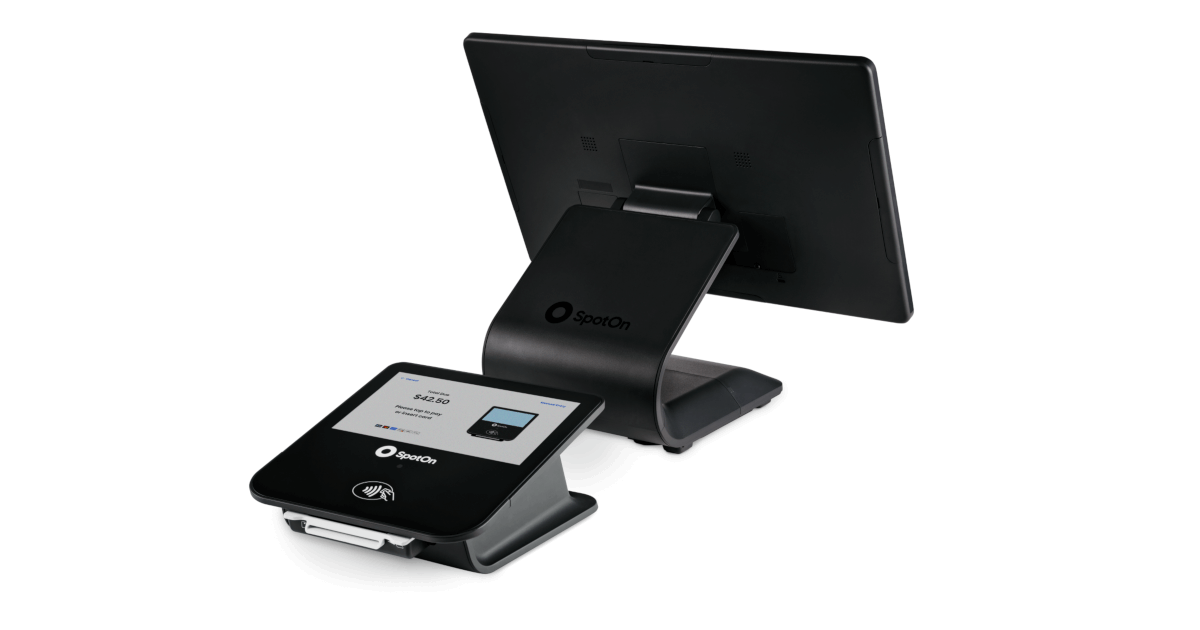
SpotOn
Pros
- 24/7 support from real humans is the dominant praise — the biggest differentiator in this niche
- Genuinely all-in-one: POS, payments, online ordering, reservations, loyalty, labor, and kiosks under one vendor
- Competitive card rates on Essentials (2.45% + $0.15) with month-to-month flexibility
- All-In plan includes POS hardware at $0/station/month for single independent restaurants
- SpotOn Order is commission-free first-party online ordering, keeping direct orders off marketplace tablets
- Restaurant-native across segments — full service, bars, fast casual, and multi-unit groups
Cons
- You must process card payments through SpotOn — no bringing your own processor
- Runs only on SpotOn's proprietary hardware, not off-the-shelf iPads or Android tablets
- Cost and layered fees are a recurring complaint; the $0 All-In plan carries a 2-year minimum term
- Freezes and lost tickets reported under heavy service load; offline-mode reliability flagged as a gap
- Some operators want deeper, more configurable reporting and cleaner multi-location report roll-ups
- Turnaround on bug fixes and feature requests can lag despite responsive first-line support
At a glance
- Pricing
- Paid
- From
- $0.00/station/mo
- Free trial
- No
- Best for
- Smb, Mid Market, Enterprise

Oracle Simphony
Pros
- Enterprise reporting with a Business Intelligence API that normalizes sales and labor data across every location
- Corporate menu, pricing, and promotion control pushed to every property via Front-line Manager
- Multilingual, multi-currency POS built for global multi-unit brands
- KDS consolidates in-house, kiosk, drive-through, mobile, and delivery tickets onto one kitchen line
- CrowdTwist loyalty integrated out of the box; open API with 200+ integration partners
- $1 POS hardware program lowers upfront terminal cost when scaling across properties
Cons
- Steep learning curve — reviewers consistently cite Simphony as hard to learn
- Long, complex setup and migration, especially off legacy systems
- Powerful reporting is non-trivial to configure
- Support responsiveness is a recurring complaint, routed through Oracle enterprise support
- Total cost is a recurring concern, compounded by quote-only pricing
- Runs on proprietary Oracle hardware, not off-the-shelf iPads or Android tablets
At a glance
- Pricing
- Quote Only
- Free trial
- No
- Best for
- Smb, Mid Market, Enterprise

Clover
Pros
- Transparent, published restaurant bundle pricing — rare in the POS category
- Turnkey hardware range covers counter, tableside, line-busting, and self-order kiosk
- One hardware and POS family across restaurant plus retail or services operations
- Easy-to-use, portable devices are the dominant praise across reviews
- No-fee online ordering with pick-up, delivery, and remote firing on every tier
- Integrated payments with Apple Pay, Google Pay, PayPal, Venmo, and QR Scan-to-Pay
Cons
- Fees, contracts, and hard-to-cancel billing are the top recurring complaint
- Processor lock-in — the device is tied to Clover/First Data; no bringing your own processor
- Clover hardware bought or used elsewhere can't be re-provisioned onto another processor
- Financed bundles and the hardware-credit promo require a three-year contract
- General-purpose roots mean shallower restaurant workflows and reporting than native systems
- Learning curve and mixed marks on support quality
At a glance
- Pricing
- Paid
- From
- $135.00/mo financed
- Free trial
- No
- Best for
- Freelancer, Smb, Mid Market

Lightspeed Restaurant
Pros
- Runs on off-the-shelf iPads, not proprietary terminals — no hardware lock-in
- Transparent published software pricing in four tiers ($69/$189/$399/quote)
- Advanced Insights reporting, Benchmarks & Trends, and Lightspeed AI are the dominant praise
- Built for multi-location and hotel F&B with multiple revenue-center support and PMS integration
- Deep feature set: floor plans, service-pacing (Tempo), QR order-and-pay, pre-auth bar mode
- Named integrations for scheduling (7shifts) and reservations (OpenTable), plus Tap to Pay
Cons
- Customer support is the recurring complaint despite 24/7 marketing — reaching the right person is the friction
- Add-ons stack the real cost: KDS is $30/screen/mo, and reservations, full inventory, and delivery each cost extra
- Learning curve and onboarding/setup draw criticism from reviewers
- No published flat processing rate — Lightspeed Payments is quoted per account, not posted
- Occasional bugs and glitches reported by some operators
- Heavier than flat-rate apps for a single food truck or one simple quick-service counter
At a glance
- Pricing
- Paid
- From
- $69.00/mo
- Free trial
- No
- Best for
- Smb, Mid Market, Enterprise

Square for Restaurants
Pros
- Genuine $0/month Free plan — the lowest-risk way for a café, food truck, or new QSR to start taking orders
- Flat, published processing rates (2.6% + 15¢ down to 2.4% + 15¢) with no quote call required
- Month-to-month with no long-term contract — easy to try and easy to leave
- Runs on off-the-shelf iPad plus Square hardware, not a proprietary locked terminal
- Orders tab consolidates dine-in, pickup, and DoorDash delivery tickets into one queue
- Plugs into the wider Square ecosystem: payments, instant payouts, banking, payroll, and loyalty under one login
Cons
- Reporting is shallower and less configurable than restaurant-native competitors
- Rigid workflows and limited customization; some features feel locked to Square's way
- Multi-location permission and data controls are thinner than enterprise restaurant systems
- You must process every card through Square Payments — no bringing your own processor
- Customer and technical support cited as a recurring weak point by reviewers
- Occasional bugs and some hardware constraints reported by operators
At a glance
- Pricing
- Freemium
- From
- $0.00/mo
- Free trial
- Yes
- Best for
- Freelancer, Smb, Mid Market, Enterprise
Every pick here is an all-in-one restaurant POS: it takes the order on the floor, fires it to the kitchen display, runs the payment, and pushes sales into reporting. What separates them is who they are built for and what the real bill looks like once hardware and card processing are added to the sticker. We ranked on fit, verified pricing, and third-party review scores (Capterra, larger restaurant-relevant samples), not on vendor marketing.
At a glance #
| POS | Price (software) | Best for | Rating |
|---|---|---|---|
| Toast | From $0/mo + hardware & processing | Full-service and growing all-in-one | 4.1 |
| Square for Restaurants | Free–$149/mo per location | Cafes, food trucks, new and small operators | 4.4 |
| Lightspeed Restaurant | $69–$399/mo | Full-service, bars, and multi-location reporting | 4.4 |
| SpotOn | $0 or $55/station/mo | All-in-one buyers who lean on support | 4.2 |
| TouchBistro | From $69/mo + hardware | Owner-operated, restaurant-native iPad setups | 3.8 |
| Clover | From $89.95/mo + hardware | QSR, counter-service, restaurant-plus-retail | 3.8 |
| Oracle Simphony | Custom quote | Enterprise and multi-unit global chains | 4.2 |
The ranked picks #
1. Toast — best all-in-one for full-service #
Toast is the system most full-service operators end up shortlisting, and for good reason: it runs the whole stack from one vendor — POS, payments, kitchen display, online ordering, loyalty, scheduling, payroll, and inventory via xtraCHEF — on commercial-grade handhelds built for a hot, wet line. The software entry point is $0/month on the Pay-as-You-Go plan, and offline mode keeps you taking card payments through an internet drop. Reviewers (Capterra 4.1 / 554) consistently praise how fast staff and guests pick it up.
The real cost is hardware, implementation, per-device subscription, and card processing, which Toast quotes per merchant rather than publishing. Honest caveat: Toast locks you to its own proprietary hardware and its own bundled processing — you cannot bring an outside processor or off-the-shelf tablets — and long-term contract terms and the sales process draw recurring complaints.
2. Square for Restaurants — best for cafes, food trucks, and new operators #
Square is the one to beat when you are small, seasonal, or opening your first room. The Free plan is genuinely $0/month per location with in-person processing at 2.6% + 15¢; Plus ($49) adds integrated inventory and close-of-day reports at 2.5% + 15¢, and Premium ($149) unlocks coursing and seat management at 2.4% + 15¢. It is month-to-month with no long-term contract, so a food truck can switch it off in the slow season. The Orders tab even pulls DoorDash tickets onto one screen, and sales flow into Square's banking and payroll if you want them (Capterra 4.4 / 54).
Honest caveat: reporting is shallower and workflows more rigid than restaurant-native rivals, and you are locked to Square Payments — the processing percentage is how the free software gets paid for. KDS and Kiosk are per-device add-ons on top of the plan.
3. Lightspeed Restaurant — best for full-service, bars, and multi-location reporting #
If the decision comes down to knowing your numbers across sites, Lightspeed is the strongest pick on this list. It runs on off-the-shelf iPads, has a real pre-auth bar mode (swipe to open a tab, one-click closeout), and its Advanced Insights plus Lightspeed AI let you interrogate performance across locations in plain language. Published tiers are $69, $189, and $399/month, with an Enterprise quote for chains, and it names 7shifts and OpenTable as integrations for labor and reservations (Capterra 4.4 / 216).
Honest caveat: the base tier excludes a lot — KDS is $30 per screen per month, and reservations, full inventory, and third-party delivery are add-ons that stack up — and support is the top theme in its reviews despite 24/7 marketing.
4. SpotOn — best all-in-one for operators who lean on support #
SpotOn covers the same ground as Toast — POS, payments, online ordering, reservations and waitlist, loyalty, labor, KDS, kiosks — and its users single out the support more than almost any competitor's (Capterra 4.2 / 371, "24/7/365 technical support from real humans"). Pricing is unusually transparent for this tier: the All-In plan is $0 per station per month with hardware included at 2.79% + $0.20 (on a two-year minimum term), while POS Essentials is $55 per station per month at a lower 2.45% + $0.15 and runs month-to-month.
Honest caveat: you cannot bring your own tablet or processor — SpotOn runs on its own hardware with integrated payments only — and reviewers report freezes and lost tickets under heavy service load.
5. TouchBistro — best restaurant-native iPad POS for owner-operators #
TouchBistro was built for restaurants first and general retail never, which shows in its floor plans, coursing, and tableside ordering. The POS plan starts at $69/month (hardware required) and the Essentials bundle at $119/month folds in payments and restaurant-grade hardware; unusually for this group, it is processor-flexible and takes no commission on its own branded online ordering (Capterra 3.8 / 414).
Honest caveat: reporting depth is the number-one complaint — daily and end-of-month reports are reported to miss comps, promos, and dine-in-versus-takeout splits — and a fully loaded stack (KDS, inventory, loyalty) is quote-only and lands well above the $69 headline, with contract and billing friction cited by users.
6. Clover — best turnkey system for QSR and counter-service #
Clover is the off-the-shelf-looking choice for quick-service and counter operators, especially anyone who also runs a bit of retail. Its Android devices (Mini, Station Duo, Flex handheld) feel like consumer tablets, and QSR tiers are priced as device-plus-software bundles — a Starter Mini at $135/month financed over 36 months, or $849 up front plus $89.95/month software — with integrated processing at 2.3% + 10¢ tapped or inserted. Line busting, QR order-and-pay, and no-fee online ordering come in the restaurant plans (Capterra 3.8 / 580).
Honest caveat: fees, contracts, and hard-to-cancel billing are the loudest theme in Clover's reviews; the device ties you to Clover/First Data processing, promos require a three-year contract, and merchants report Clover hardware cannot be re-provisioned to another processor.
7. Oracle Simphony — best for enterprise and multi-unit chains #
Simphony is the enterprise end of the market — the cloud successor to MICROS — and it earns its place only at scale. It centralizes menu, pricing, and promotion control at corporate while leaving property-level flexibility, runs multilingual and multi-currency for global brands, and ships an open API framework Oracle puts at 200-plus integration partners, with out-of-the-box reporting and a Business Intelligence API feeding Oracle Analytics Cloud (Capterra 4.2 / 26). Hardware starts at Oracle's $1 program tied to the software subscription.
Honest caveat: it is quote-only, and a steep learning curve plus long, complex setup and migration are consistent complaints — real overkill for a single location, and worth the engagement only at multi-unit or chain scale.
Others worth a short look #
A few systems narrowly missed the ranked list but fit specific operators. CAKE POS (4.6 / 522) bundles a guest display and processing at $0 down and suits counter-service and casual dining. Rezku (4.7 / 42) draws unusually strong scores for flat software pricing and U.S.-based support on iPad. Lavu is an iPad POS with in-house Lavu Pay. At the legacy end, Aloha (NCR Voyix) and Revel Systems remain deep, feature-rich platforms that make sense mainly for established full-service and multi-location operators already committed to that ecosystem.
How we picked #
We scored each system on four things, in this order. Segment fit — a bar needs pre-auth tabs, a food truck needs offline mode and no contract, a chain needs centralized menu control; a system that nails one segment beats a generalist for that buyer. Total cost, honestly — not the sticker, but software plus hardware plus the processing rate and any contract term, because "free" POS is paid for in card volume. Third-party review scores — Capterra ratings from the larger, restaurant-relevant samples, used as a signal, not a verdict. And lock-in — whether you can keep your processor and own your hardware, since that is the regret operators voice most after they sign. Prices and rates above were taken from each vendor's own pricing page; where a vendor sells only by quote, we say so rather than guess.
FAQ #
See the questions below, then compare specific pairs head-to-head on the restaurant POS software pillar.
Frequently Asked Questions
Square for Restaurants is the usual best fit for small and new operators: the Free plan is $0/month per location with in-person processing at 2.6% + 15¢, it is month-to-month with no contract, and it scales up to the $49 Plus and $149 Premium tiers as you grow. TouchBistro ($69/month) is the restaurant-native alternative if you want floor plans and coursing from day one.
Lightspeed Restaurant is a strong bar pick because of its pre-auth bar mode — swipe a card to open a tab and close it out in one click — plus deep reporting; published tiers run $69 to $399/month. Toast and SpotOn also handle high-volume bar service well on their own hardware.
Clover and Toast both fit QSR well. Clover prices QSR as device-plus-software bundles (a Starter Mini at $135/month financed, or $849 plus $89.95/month) with line busting and QR order-and-pay, and processes at 2.3% + 10¢. Toast offers dedicated quick-service configurations with kiosks and offline mode.
The sticker is only part of it. Budget for software (anywhere from $0 to roughly $150+/month per location or station), hardware (hundreds to a couple thousand dollars per terminal), and card processing (typically in the 2.3%–2.8% + a per-transaction fee range among the systems here). "Free" or $0-software plans are paid for through the processing rate and sometimes a multi-year term, so always ask for the all-in effective cost before you sign.
Usually no. Toast, Square, SpotOn, and Clover each lock you to their own integrated processing — that is how the software is monetized. TouchBistro is the notable processor-flexible option on this list, stating it is compatible with a range of payment processing solutions.
For a few locations that need shared reporting, Lightspeed Restaurant and Toast both offer multi-location management (Lightspeed with cross-site Insights). For enterprise and global chains, Oracle Simphony is built for centralized menu, pricing, and promotion control across properties — though it is quote-only and heavier to set up.