
For this guide we tested and reviewed the platforms hands-on wherever a trial or demo was available, and verified each price against the vendor's own pricing page before publishing.
TouchBistro is a restaurant-native iPad POS for independent and small-to-midsize full-service restaurants that want tableside ordering, floor plans, and coursing without the proprietary-hardware lock-in of Toast — the core POS starts at $69/month and almost everything else (KDS, inventory, online ordering, loyalty, reservations) is a quote-only add-on. If you run a full-service dining room or a bar and want an easy, restaurant-first system on iPads, it fits. If you need deep native reporting out of the box, that is the recurring catch.
TouchBistro is a point-of-sale and restaurant-management platform — ordering, payments, floor plan, staff, and reporting — not a standalone inventory or reservations tool, though it sells inventory, reservations, and loyalty as add-on modules.
What Is TouchBistro #
TouchBistro is an all-in-one restaurant management system whose core product is its iPad point of sale. The vendor, TouchBistro Inc., founded in 2010, started with the POS and now wraps payment processing, online ordering, reservations, and back-office tooling around it. Company-published figures put it at 16,000-plus restaurants, 64,000-plus terminals, and more than $14 billion in payments processed annually — vendor marketing numbers, not independently audited.
It is built for restaurants, not general retail. The restaurant types it serves: full service, fine dining, family style, quick service, fast casual, bar and club, brewery and winery, and multi-unit groups running several venues from one centralized platform. The through-line is a restaurant-first floor: a server takes orders tableside on an iPad, the ticket fires to the kitchen, and the day's sales roll into cloud reports a manager can open from anywhere.
Where a general-purpose iPad register treats a restaurant like any other shop with a cart, TouchBistro is organized around the way a dining room actually runs — tables and sections instead of a checkout line, coursing and modifiers instead of SKUs, and tip and split-check handling built into the order rather than bolted on at payment. That restaurant-first framing is the reason an operator picks it over a retail POS, and it is the first thing reviewers mention when they praise how little training new servers need.
Features #
Point of sale (core) #
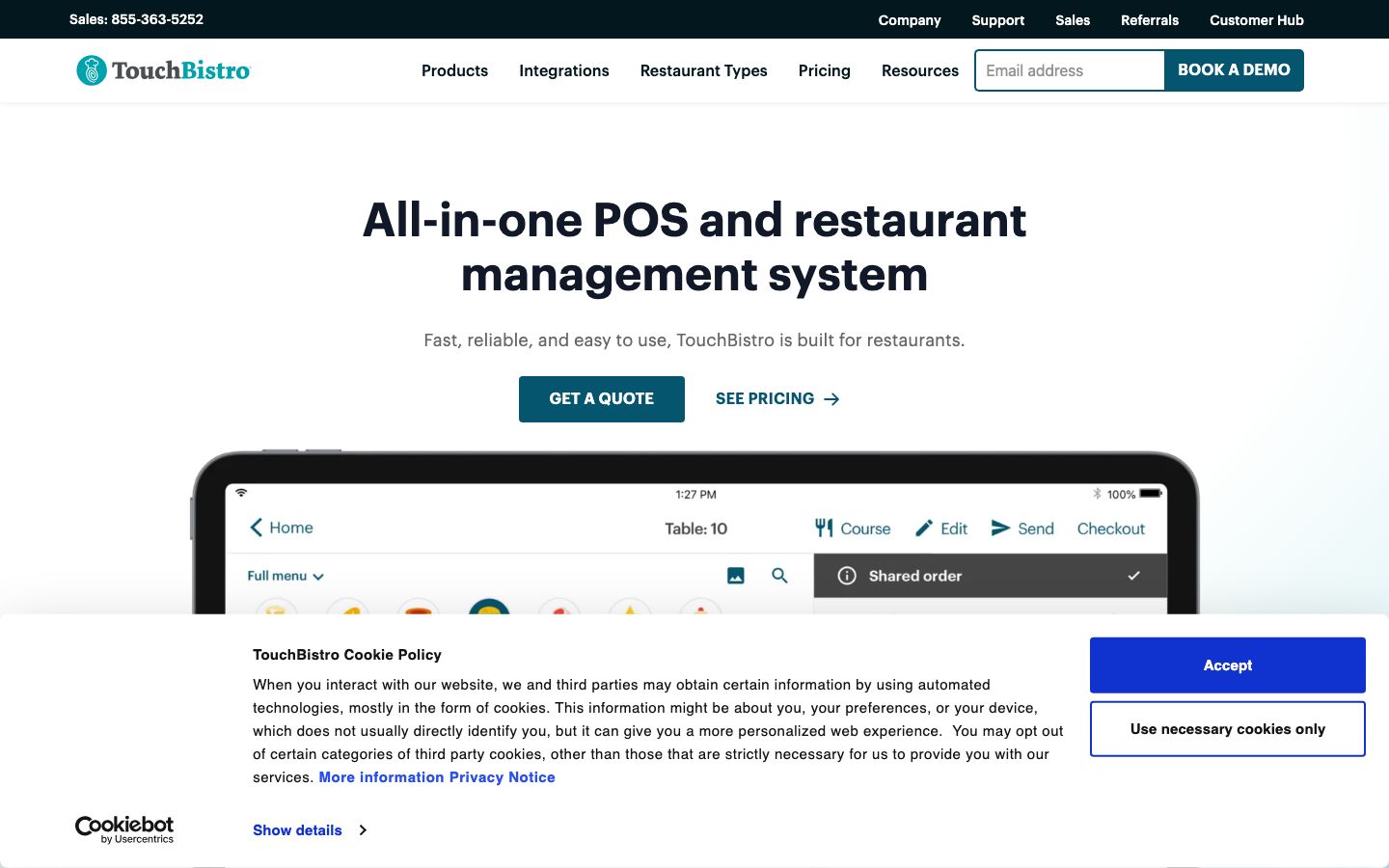
The core POS bundle ships with Menu Management, Reporting & Analytics, Floor Plan & Table Management, Staff Management, Tableside Ordering, and Payment Processing, plus 24/7 support and POS integrations. TouchBistro states no POS features are locked or off-limits in the base plan. A server takes orders, upsells, and splits bills right at the table on the mobile POS; a manager designs the floor plan, assigns sections, and monitors tables from the same system; and staff get unique permissions controlling who can access what.
Kitchen display system #
The KDS add-on connects front of house to back of house so tickets taken at the table land on a kitchen screen and cooks fire courses in order rather than chasing paper chits. When a server 86s a dish or a line cook clears a ticket, the floor sees it on the same system instead of shouting across the pass. It is a paid module, not part of the base POS, so a straight POS subscription keeps kitchen routing on printers until you add it.
Online ordering and delivery #
TouchBistro Online Ordering takes orders directly on the restaurant's own site, and the company does not charge commission on those orders — a direct contrast to third-party marketplaces that skim a cut of every ticket. For a restaurant doing real takeout volume, that commission gap is the whole argument: the margin on a direct online order stays with the house instead of going to a delivery app. Orders placed online land in the same system the dining-room staff already run, so a to-go ticket and a dine-in ticket move through one queue rather than a separate tablet on the counter. Online Ordering is sold as a quote-only add-on, not part of the base POS.
Back of house: inventory and labor #
Inventory Management tracks stock and helps bring down food costs, so an owner can see where the margin leaks between what was bought and what was sold; Labor Management lets a manager schedule the team and keep labor cost in check against the day's sales; and Profit Management is pitched as the advanced back-office layer for operators who want cost control beyond the register. These are add-on modules sold on top of the POS, so the back office is something you build up rather than switch on in the base plan.
Reporting and daily reconciliation #
Reporting & Analytics ships in the core POS as cloud-based reports a manager views from anywhere — the end-of-night sales picture that reconciles the day's tickets against what landed in the drawer. This is the module that draws the most pushback in reviews: operators find the out-of-the-box daily and end-of-month reports thinner than they expect, missing breakdowns like comps, promos, and dine-in versus takeout, and fuller reporting can mean reaching for add-ons. For a single room it is serviceable; for an owner who lives in the numbers it is the part to stress-test first.
Guest engagement #
Gift Cards (digital and physical), a Loyalty program the restaurant brands as its own to drive repeat visits, Marketing, and Reservations round out the guest-facing stack — each a quote-only add-on rather than a bundled feature. Because loyalty and reservations run on the same platform as the POS, a regular's visit history and a booked table tie back to the check rather than living in a separate tool.
Payments and hardware #
TouchBistro runs on iPad-based hardware and sells restaurant-grade hardware bundles. On payments it is processor-flexible: the company says it works with a wide range of processing solutions, integrated or standalone, so an operator is not forced onto a single in-house processor the way Toast or Clover require. Integrated payments ship in the Essentials and Custom bundles; the processing rate is quoted per merchant, not published.
Pricing #
Published starting prices from the pricing page. Hardware, payment processing, and additional fees apply on top of software.
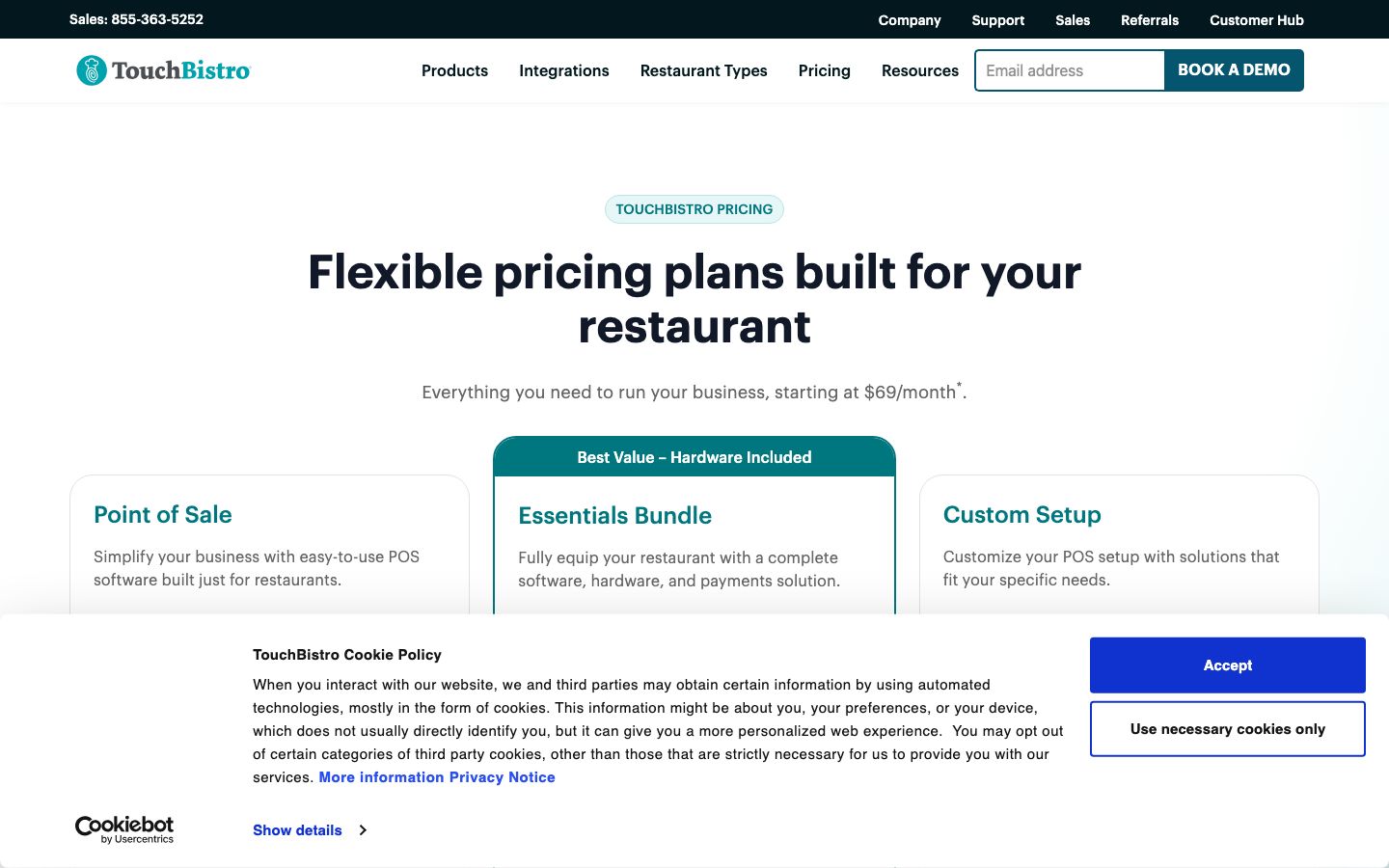
| Plan | Price | What's included |
|---|---|---|
| Point of Sale | starting at $69/month | POS software: Menu Management, Reporting & Analytics, Floor Plan & Table Management, Staff Management, 24/7 support, POS integrations. Hardware required. |
| Essentials Bundle ("Best Value – Hardware Included") | starting at $119/month | Everything in POS plus integrated payments and restaurant-grade hardware. |
| Custom Setup | Get a Quote | Everything in Essentials plus FOH, BOH, and guest-engagement modules — KDS, inventory, online ordering, loyalty, reservations, and more. |
The honest read: the $69 headline buys POS software only, and you still need hardware. The add-ons that make it a true all-in-one system — KDS, inventory, labor, online ordering, loyalty, reservations — are all quote-only, so a fully loaded stack lands well above the entry price. The Essentials bundle at $119 is the one plan with a published number that includes hardware and integrated payments; beyond that, building out the back office and guest-engagement modules means a custom quote, and the true monthly figure depends on which modules you switch on. Payment processing is quoted per merchant with no public rate, so compare the quoted processing cost against the software line — on a busy restaurant the processing rate often matters more to the monthly bill than the subscription. TouchBistro offers hardware financing for venues with two or more terminals (monthly installments), does not charge for app updates, and includes phone-and-email support advertised as 24/7, holidays included.
Who It's For (and Who It Isn't) #
Good fit: independent and small-to-midsize restaurants — full-service dining rooms, fine dining, family style, cafés, bars and clubs, breweries and wineries, and quick-service or fast-casual spots — that want a restaurant-native POS with tableside ordering, floor plans, and coursing, and value a low $69 POS-only entry with 24/7 support. A full-service room gets the most out of it: sections, coursing, split checks, and tableside ordering are exactly the workflows the base POS is built around. Multi-unit operators running several venues are supported from one centralized platform, and the processor-flexible stance suits an owner who wants to shop processing rates rather than inherit whatever the POS vendor charges.
Weaker fit: an operator who needs deep native reporting and analytics out of the box — reporting depth is the single most common complaint, with daily and end-of-month reports faulted for missing comps, promos, and dine-in-versus-takeout splits, and fuller reporting sometimes pushed into add-ons. Buyers who want to avoid contract and billing friction, or who want one flat all-in number rather than a stack of quote-only modules, should price the loaded configuration before committing.
Is It Legit and Worth It? #
TouchBistro is an established, restaurant-focused vendor — founded 2010, 16,000-plus restaurants and 64,000-plus terminals by its own count — with a real third-party review base (Capterra 3.8 from 414 reviews, G2 4.1 from 109). It is legit and widely deployed, and reviewers consistently praise ease of use, its all-in-one restaurant focus, and support quality when they reach a person. The 3.8 Capterra score is middle-of-the-pack for restaurant POS — below the Square and Lightspeed restaurant listings and in the same range as Clover — which lines up with the pattern in the reviews: operators like the day-to-day floor experience but run into the reporting ceiling and billing friction over time. It is a safe, restaurant-native choice for the segment it targets rather than a best-in-class pick on analytics.
The recurring complaints are worth pricing in, and they come from its own users. Reporting is the loudest theme: operators say the out-of-the-box daily and EOM reports miss the breakdowns they need, and deeper reporting can mean paying for more. Contract terms and cost draw friction, including reports of continued charges after cancellation — read the agreement before you sign. Some cite updates that interrupt during service and occasional downtime, and post-sale support reachability is a recurring knock even as support-when-reached is also praised. Payment-processing friction shows up for some users too. None of these are automatic dealbreakers for a restaurant that wants an easy iPad POS, but the reporting ceiling and the quote-only add-on math are the two things to test against your own operation first.
Alternatives #
- Toast — all-in-one restaurant POS with the broadest ecosystem, but proprietary hardware and locked-in processing you can't swap out.
- Square for Restaurants — flat, transparent pricing and a free tier; the simplest path for a café or small QSR on off-the-shelf hardware.
- SpotOn — all-in-one restaurant POS frequently praised for support, often pitched head-to-head with TouchBistro.
- Lightspeed Restaurant — iPad-based, processor-flexible restaurant POS with stronger native reporting.
See the restaurant POS software guide for the full category comparison.
Login & Support #
Restaurants reach the Customer Hub and Customer Support portal from touchbistro.com, alongside Help Articles for self-serve answers. Support is phone and email, advertised as 24/7 including holidays and included with the subscription. Sales is reachable at 855-363-5252.
Estimate your TouchBistro cost
Uses published $69.00/mo starting rate. Updates as you type.
Estimator uses vendor-published list rates as anchor. Actual quotes vary by add-ons (member reporting, class scheduling, payment data feeds, active members tier) — request a written quote before signing.
Book a TouchBistro demo
Vendor-facilitated. We forward your request to their sales team within 24 hours.
- Choose a preferred date + time slot
- 30-minute product walkthrough
- Custom pricing based on your seat count
Screenshots
Pros
- Restaurant-native iPad POS — tableside ordering, floor plans, coursing, and modifiers built for dining rooms, not retail
- Low $69/month entry for the core POS, with no POS features locked out of the base plan
- Processor-flexible — works with a range of payment processors instead of forcing one in-house rate
- Commission-free own-brand online ordering, unlike third-party delivery marketplaces
- Ease of use is the dominant praise across reviews; 24/7 phone and email support included
- Broad add-on stack: KDS, inventory, labor, loyalty, reservations, gift cards under one vendor
Cons
- Reporting depth is the #1 complaint — daily/EOM reports miss comps, promos, and dine-in vs takeout splits
- The all-in-one modules (KDS, inventory, online ordering, loyalty) are quote-only add-ons above the $69 headline
- Contract and billing friction, including reports of continued charges after cancellation
- Post-sale support reachability draws recurring complaints (even as support-when-reached is praised)
- Updates that interrupt during service and occasional downtime reported by some operators
- Payment-processing friction reported by some users; the processing rate is quote-only
Frequently Asked Questions
Similar Restaurant POS Software Tools
User Reviews
Write a reviewNo reviews yet for TouchBistro.
Be the first to review