
For this guide we tested and reviewed the platforms hands-on wherever a trial or demo was available, and verified each price against the vendor's own pricing page before publishing.
Lavu is a strong pick for an independent full-service restaurant or bar that wants an iPad POS on hardware it can source itself, bundled with in-house payment processing — but the price is quote-only, so you can't comparison-shop without a sales call, and reviewers flag fees and onboarding as the catch. If you want a published, self-serve price before you talk to anyone, or you're a very small operator watching every setup dollar, weigh a flat-rate option first.
Lavu is an iPad-based restaurant point-of-sale system from Lavu Inc. (Albuquerque, NM) — not an inventory-only or reservations-only tool, and not locked to proprietary terminals the way Toast is.
What Is Lavu #
Lavu is a cloud-based restaurant POS that runs the floor on off-the-shelf Apple iPads. Servers take orders at the table on an iPad, the sale posts to cloud reporting, and the back office reconciles the day without exporting between systems. Around that POS, Lavu sells its own card processor (Lavu Pay) and direct online ordering (MenuDrive), so dine-in, takeout, and delivery land in one report set.
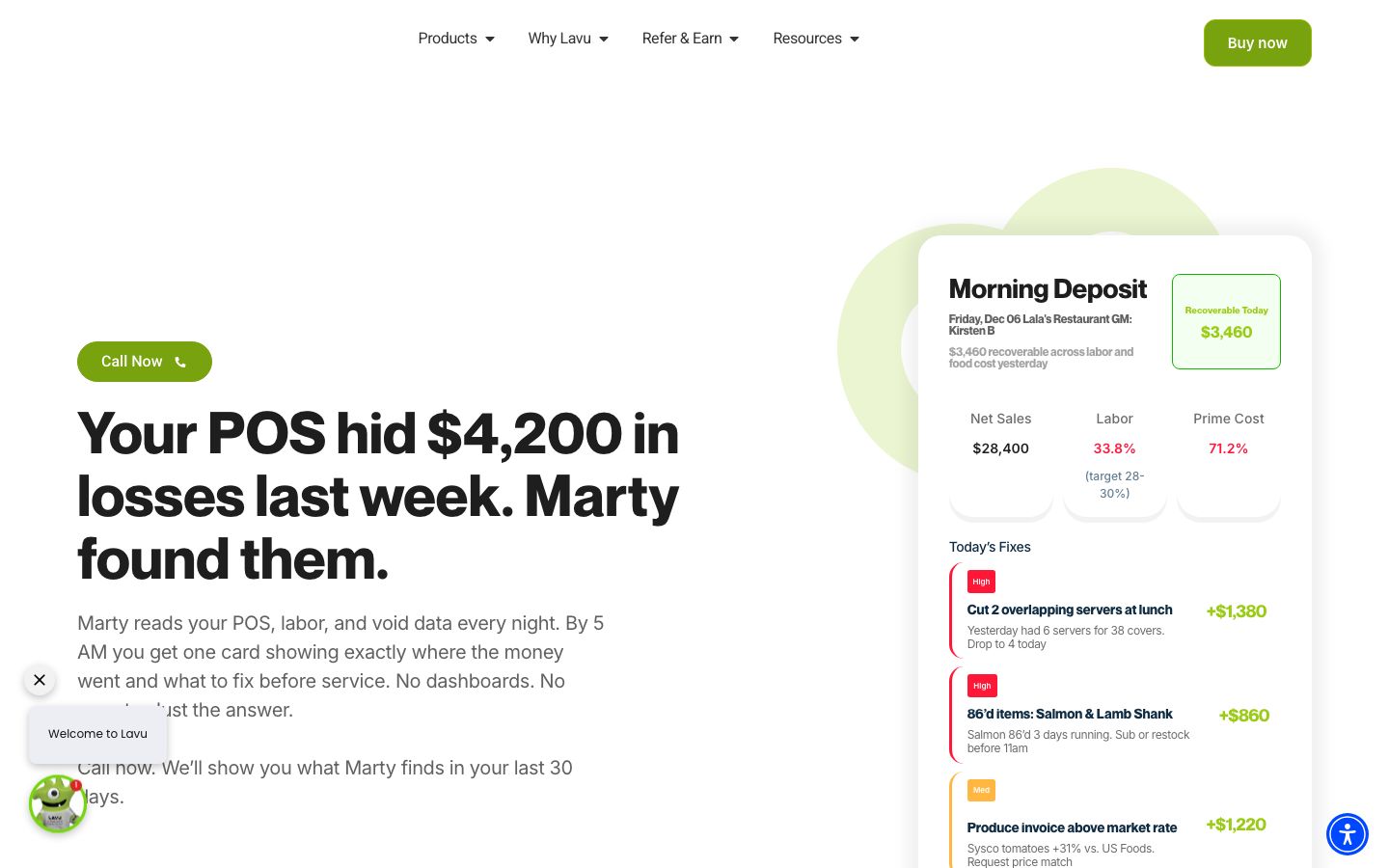
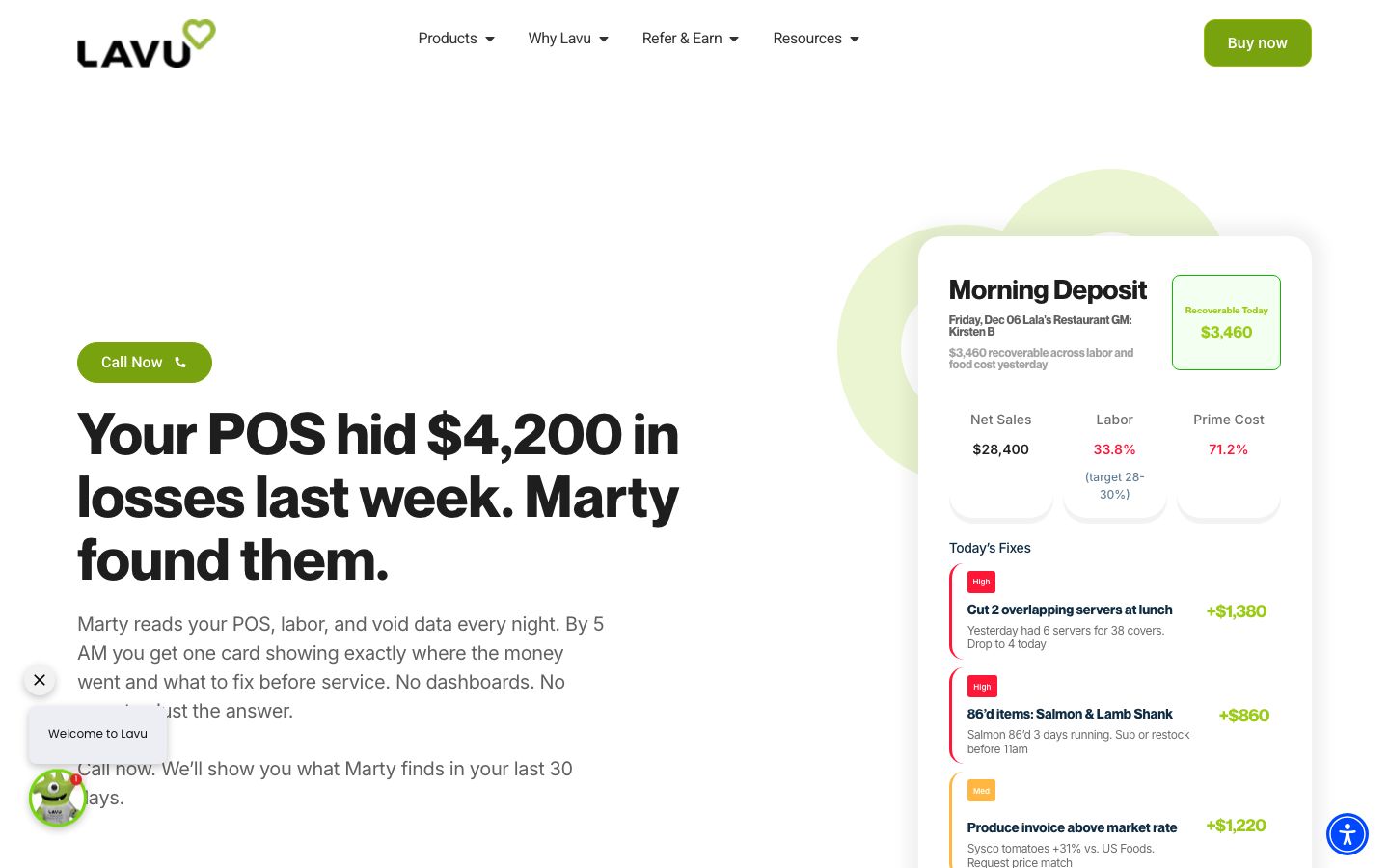
As of its 2026 relaunch, Lavu wraps the POS in an AI layer it calls Marty AI, marketed as an "Intelligent Financial OS" with a product family spanning POS, marketing, payment processing, payroll, and banking. Marty runs an overnight analysis of sales, labor, and void data and surfaces a prioritized "Morning Deposit" of recoverable actions — menu pricing, labor, slow-hour, and server coaching — through named agents (Marketing, Menu, Labor, Inventory, Server, Finance). Marty can read data from Toast, Square, Clover, and Aloha for insight-only mode; full automation requires running Lavu's own POS.
Lavu is built for single locations, multi-unit groups, and high-volume concepts. Its own footer names the segments it targets: bars and nightlife, breweries, cafeterias, coffee shops, concessions, delis, fast casual, food trucks, full service, ice cream shops, pizza restaurants, and wineries.
Features #
iPad point of sale #
The core is an iPad POS for order entry, coursing, and modifiers on the floor, cloud-hosted for reporting and updates. Because it runs on standard Apple iPads rather than a proprietary terminal, you can buy replacement hardware anywhere instead of being tied to one vendor's device catalog.
Kitchen display system #
Orders taken on the floor fire to a kitchen display system, listed in Lavu's product menu, so the line sees tickets by station instead of relying on paper chits.
Payment processing (Lavu Pay) #
Lavu sells its own processor, Lavu Pay, integrated so the POS and payments run in one system rather than a bolted-on terminal. It's PCI-compliant and accepts payments offline if the internet drops — a real operational safeguard mid-service. Lavu also offers a Dual Pricing / cash-discount program that passes card-processing cost to guests who pay by card while posting a lower cash price.
Online ordering (MenuDrive) #
MenuDrive is Lavu's direct online ordering: takeout and delivery orders route straight to the POS, and dine-in, takeout, and delivery all sync to one report set. The pitch is to take direct orders rather than hand commission to a third-party marketplace.
Back office and reporting #
A back-office module produces detailed reports to track sales and operations across the day, and Marty's agents read that same data to flag food-cost and labor actions. One-click payroll and compliance sit in the Marty product family.
Marty AI #
Marty ingests POS, labor, and void data overnight and returns a ranked set of recoverable actions each morning. It works in insight-only mode on other POS systems; the full automation layer unlocks only on Lavu POS. The headline dollar figures Lavu shows for recovered cash are illustrative marketing examples rather than documented product outputs.
Pricing #
Lavu does not publish a price. The pricing URL redirects to the homepage, and every plan CTA routes to "Book a Demo," "Get a Demo," or "Buy now." Pricing is quote-only, set per restaurant after a sales conversation.
| Item | What the site states |
|---|---|
| POS software price | Not published — quote-only, demo- and "Buy now"-gated |
| Payment processing rate | Not published — Lavu Pay, "lowest rates," Dual Pricing / cash-discount option |
| Hardware | Off-the-shelf Apple iPads; not locked to proprietary hardware |
| Support | 24/7 live support included |
The honest read: Lavu advertises "clear rates, no surprises" and "some of the lowest processing rates available," but puts no processing percentage or per-transaction fee in public. You get an actual software price and an actual card rate only by requesting a quote. The one published alternative to a flat rate is the Dual Pricing / cash-discount path, which shifts the card fee to the guest. Two things work in your favor on cost: you supply your own iPads, and you aren't forced into a hardware contract to run the system.
Who It's For (and Who It Isn't) #
Good fit: independent and small-to-mid full-service restaurants, bars, breweries, pizza shops, cafés, and food trucks that want an iPad POS on hardware they source themselves, with in-house processing and direct online ordering in one system. Single locations and multi-unit groups both fit; the hardware flexibility is the draw for operators who don't want to be locked to one terminal vendor.
Weaker fit: an operator who needs a published, self-serve price before engaging sales — Lavu is quote-only, full stop. Very small operators also flag the fees and onboarding as heavier than expected in reviews, so a bare-bones café or pop-up watching every fixed dollar should price a flat-rate option against Lavu's quote.
Is It Legit and Worth It? #
Lavu is an established restaurant-technology company and earns respectable third-party marks — Capterra 4.2 from 259 reviews, G2 3.8 from 104 — with reviewers consistently crediting ease of use, support, and reporting. It's a legitimate, well-supported POS with a long track record in the iPad space.
The recurring complaints are worth pricing in. Operators cite price and fees, a setup and onboarding process that runs long and costly, occasional bugs, hardware friction, and gaps in integrations. Support is the sharpest split — praised by many but a source of friction for others, which tracks with it being the single biggest differentiator across this niche. None of these are dealbreakers for most restaurants, but the quote-only pricing means you should get the full fee schedule and the onboarding scope in writing before you sign, and confirm that the integrations you rely on are supported.
Alternatives #
- TouchBistro — iPad POS for full-service restaurants with a published entry price and off-the-shelf hardware, if you want numbers before a sales call.
- Square for Restaurants — flat, transparent pricing and a free tier; the simplest path for a café, bar, or small QSR that wants self-serve cost.
- Clover — flexible POS with published hardware bundles and app-marketplace integrations, strong for counter-service and quick service.
- Lightspeed Restaurant — processor-flexible cloud POS for full-service and multi-location groups.
- Compare the field in our restaurant POS software guide.
Login & Support #
New accounts sign up at buy.lavu.com; existing restaurants reach support through Lavu's "Service Promise" of 24/7 live support from real people, with a published line at 1 (505) 535-5288. Sales and onboarding start from the "Book a Demo" flow across the site.
Book a Lavu demo
Vendor-facilitated. We forward your request to their sales team within 24 hours.
- Choose a preferred date + time slot
- 30-minute product walkthrough
- Custom pricing based on your seat count
Screenshots
Pros
- Runs on off-the-shelf Apple iPads — not locked to proprietary hardware, so you can buy replacements anywhere
- In-house Lavu Pay processing is integrated with the POS and accepts payments offline during an internet drop
- Dual Pricing / cash-discount program offsets card-processing fees by shifting them to card-paying guests
- MenuDrive direct online ordering syncs dine-in, takeout, and delivery to one report set, avoiding marketplace commissions
- Ease of use, support, and reporting are the dominant praise across reviews
- 24/7 live support from real people included
Cons
- Price and fees draw recurring complaints; no published rate means you must request a quote to compare
- Setup, onboarding, and migration run long and costly for some operators
- Occasional bugs reported in reviews
- Hardware friction cited by some reviewers
- Integration gaps noted; the live integrations catalog is not enumerable since the integrations page now redirects
- Support quality is uneven — a top strength for many but a friction point for others
Frequently Asked Questions
Similar Restaurant POS Software Tools
User Reviews
Write a reviewNo reviews yet for Lavu.
Be the first to review