
For this guide we tested and reviewed the platforms hands-on wherever a trial or demo was available, and verified each price against the vendor's own pricing page before publishing.
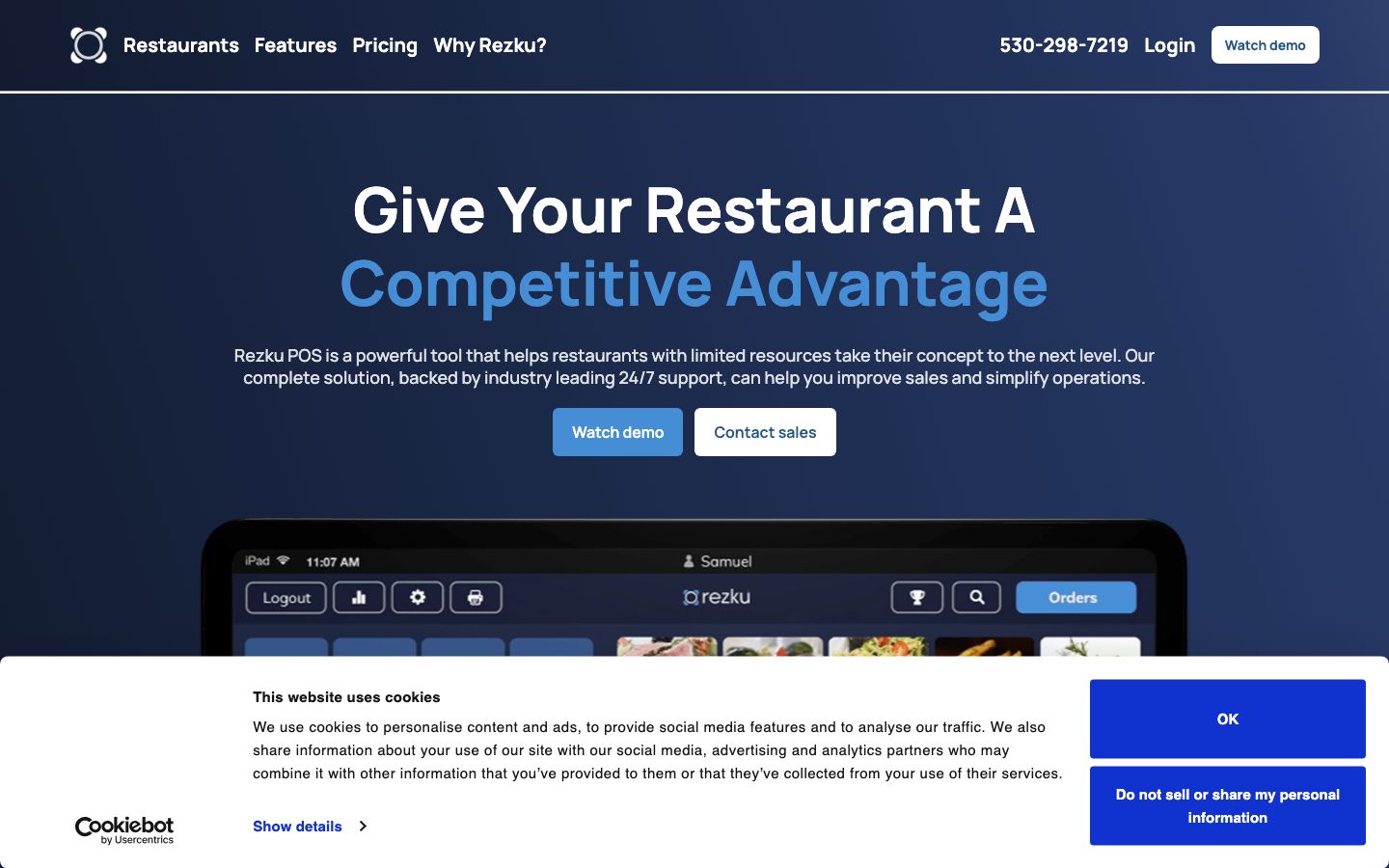
Rezku is an iPad-based, all-in-one restaurant POS from Guest Innovations that fits independent full-service and quick-service operators who want flat, published software pricing (from $99/mo) and heavy hands-on onboarding instead of an enterprise sales cycle. The catch sits where every POS hides it: card processing runs through Rezku's third-party processor at a rate quoted per merchant, not a published number. If you want national-chain features without national-chain complexity, and you value U.S.-based 24/7 support over the lowest sticker price, it's a strong pick.
Rezku is a restaurant-native point-of-sale and management platform — POS, KDS, online ordering, loyalty, inventory, and employee management in one login — not a reservations tool or an accounting package.
What Is Rezku #
Rezku is a cloud restaurant POS built by Guest Innovations, Inc., a privately held U.S. company based in Sacramento, California. The platform runs on Apple iPad hardware with a companion smartphone Manager's App that puts Back Office controls on a phone. Guest Innovations keeps engineering, support, and sales under one roof in the U.S., and markets the product on a single idea: independent restaurants deserve the same tools as national chains without the high cost or complexity.
It sells to named concept types rather than to "restaurants" generically — full service, quick service, fast casual, pizzeria, bar, brewery, and food truck — plus multi-location operators running several units. Bars and breweries get specific attention through integrations with pour-monitoring hardware. The through-line is one connected system: a server takes an order at the table, it fires to the kitchen display, the sale posts to reporting, and the night reconciles without exporting between tools.
Features #
POS and ordering #
The core is an iPad POS with tableside ordering — a server takes orders, customizes them, and processes payment at the table instead of walking back to a fixed station. It handles easy check splitting, advanced modifiers and sub-modifiers for build-your-own and allergy mods, coupons, and happy-hour pricing that flips automatically by time of day. When a dish runs out, staff 86 it at the terminal so it drops off every order screen at once. An offline mode keeps terminals ringing sales and printing tickets when the internet connection drops, which matters most during a Friday rush rather than in a demo.
Kitchen management (KDS) #
The Smart Kitchen Display System puts tickets on touchscreen displays so the line sees the full queue, routes by station, and works the rush with fewer verbal hand-offs and fewer errors. Orders fire from the POS straight to the screen, so a server rings an item and the line cook sees it without a printed chit. A dedicated 20-inch Smart KDS is sold as hardware for kitchens that want a fixed screen on the pass.
Online ordering, QR and kiosk #
A branded online ordering storefront takes direct web orders into the same ticket queue as dine-in, so the kitchen works one list rather than juggling tablets. QR-code ordering lets guests scan, order from a digital menu, and pay from the table; self-service kiosks cut lines and labor at the counter; and a customer-facing display plus newer AI Voice Ordering round out the order-capture side. Third-party delivery flows in through integrations rather than a wall of devices on the pass.
Loyalty, gift cards and marketing #
Rezku includes a built-in loyalty program plus digital and physical gift cards, so repeat-visit data ties back to the check instead of living in a separate tool. The newer marketing suite adds email marketing, text marketing, and a website builder, and Order Ready texting notifies a guest's phone the moment their food is up — useful for a quick-service counter or a food truck with no table numbers.
Inventory management #
Ingredient-level inventory tracking ties each menu item to what it consumes, so a manager can see waste, theft, and over-portioning and control food costs against what actually sold rather than against a monthly guess. For a multi-location operator, that count rolls up so you can compare food cost across units from one back office.
Employee management #
Built-in time management and tip pooling run on the POS, so clock-ins, breaks, and tip splits live beside the sales that generated them. The smartphone Manager's App surfaces the full Back Office — sales, labor, and reporting — formatted for a phone, so an owner can watch covers and labor from off-site without standing at a terminal.
Reporting #
Every plan tier includes custom analytics and more than 100 customizable reports, covering daily sales and the end-of-night close-out that an operator reconciles before locking up. Reporting is capable at the daily-sales level; operators who need the deepest custom report-building should test it against their own close-out before committing (see the cons below).
Integrations #
Rezku's integrations frame the tech stack around the POS. On the accounting side it connects to QuickBooks, QuickBooks Desktop, Xero, and Sage, with restaurant back-office tools including Restaurant365, Compeat, Ctuit, Craftable, Yellow Dog, and Shogo for pushing sales and cost data downstream. For delivery, it consolidates DoorDash, Uber Eats, Grubhub, Postmates, and Olo through connectors such as Chowly and Zuppler so third-party tickets land on the line. Mailchimp handles email, 7shifts covers scheduling, and bar operators get Ziosk plus pour-monitoring systems like BeerSaver and Digital Pour. Card processing is the one piece Rezku keeps in-house as your point of contact, routed through an unnamed third-party processor.
Rezku Capital #
Rezku Capital is an in-house merchant-financing offering — working capital for the restaurant — with rates and terms quoted per merchant rather than published.
Pricing #
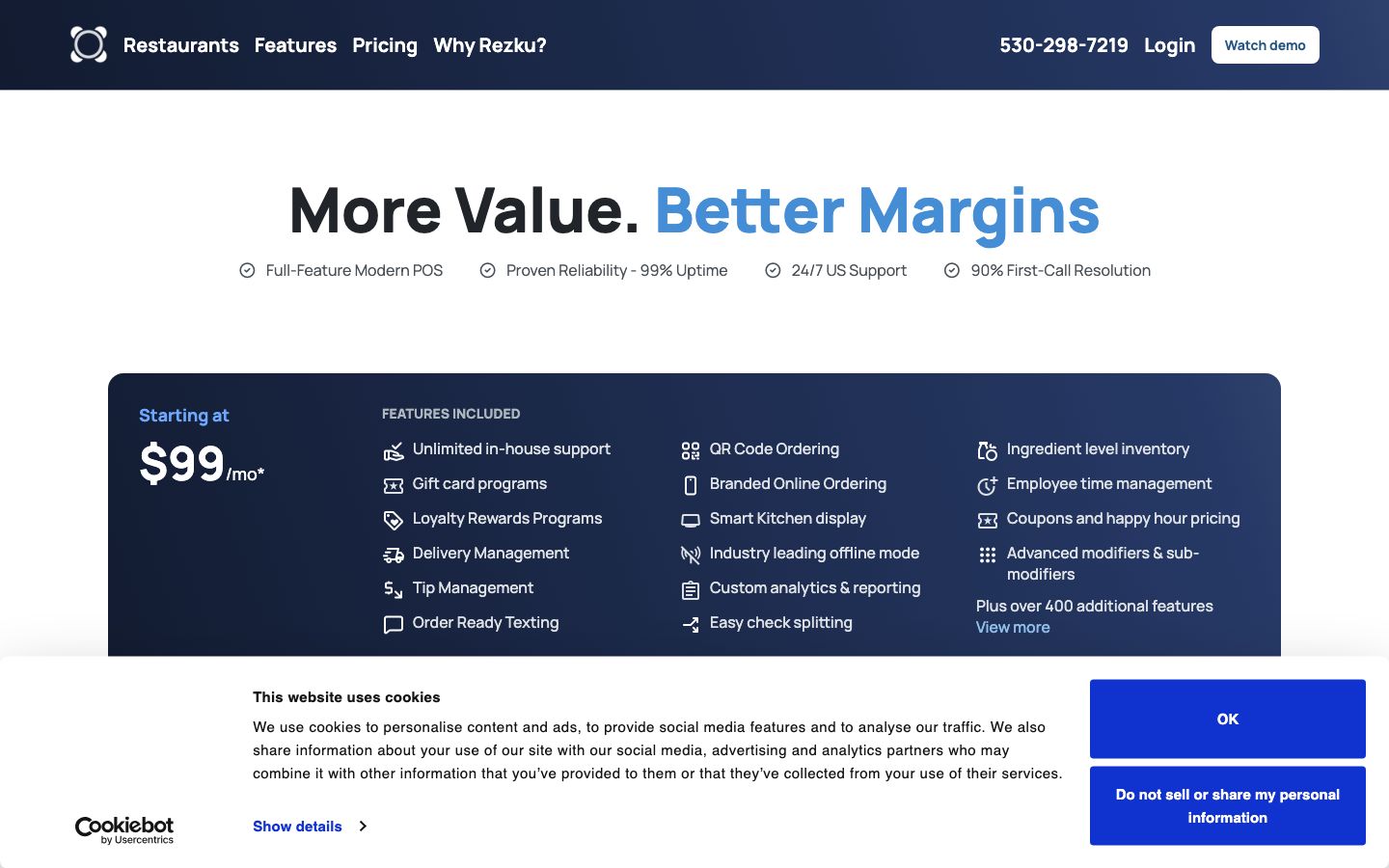
Rezku publishes flat software pricing on its pricing page — a rarity in a niche that mostly hides behind "contact sales." The listed fee is software only; hardware and card processing are separate.
| Plan | Software fee | POS stations |
|---|---|---|
| Core | $99/mo | Up to 3 stations |
| Growth (Most Popular) | $199/mo | 4–7 stations |
| Unlimited | $299/mo | Unlimited stations |
A software-plus-hardware "Basic" bundle is advertised at $99/mo software for up to 3 stations plus $19/mo per station for hardware (a simplicity stand, printer, card reader, and iPad), flagged on the page as a limited-time promotion. Every tier bundles the same feature set — unlimited in-house support, unlimited menu building, unlimited 1:1 training, loyalty and gift cards, KDS, offline mode, QR ordering, branded online ordering, ingredient-level inventory, tip management, and custom reporting — "plus over 400 additional features." Implementation is billed separately from the subscription.
Card processing is the real variable. Rezku facilitates credit-card processing through a third-party processor while staying your primary point of contact, and no processing rate or flat fee is published — total processing cost is quoted per merchant. Price against the full stack: software ($99–$299/mo), separate hardware or the $19/mo/station bundle, and a per-merchant processing rate you settle with sales.
Who It's For (and Who It Isn't) #
Good fit: independent single- and multi-unit full-service, quick-service, fast-casual, pizzeria, bar, brewery, and food-truck operators who want a predictable flat software bill, unlimited hands-on onboarding and training, and U.S.-based 24/7 phone support over the absolute lowest price. Bars and breweries are a deliberate target, with pour-monitoring hardware integrations most POS vendors don't bother with.
Weaker fit: an operator who wants to bring a specific card processor of their own — processing routes through Rezku's third-party partner, quoted privately. Teams that need the deepest configurable reporting straight out of the box should test it against their close-out needs first, since reporting depth is the most common reviewer gripe. And buyers who insist on seeing all-in processing economics before any sales call won't get a published rate here.
Is It Legit and Worth It? #
Rezku is a legitimate, U.S.-owned restaurant POS with a small but strong third-party review footprint: Capterra 4.7 from 42 reviews. (Its G2 score sits higher but on only six reviews — too thin to lean on.) The dominant, repeated praise is customer support, followed by ease of use, inventory, and all-in-one breadth — which lines up with the vendor's own 24/7-support and unlimited-training pitch rather than contradicting it.
The honest cons, drawn from reviewer feedback: reporting depth is the standout — operators want deeper and more configurable reports than the base product gives, a complaint common across iPad POS systems. Hardware cost and constraints come up as friction, and a share of reviewers flag price and fees. The review base is real but modest at 42 on Capterra, so treat the 4.7 as a credible signal from a satisfied core, not a high-volume consensus. For an independent operator who values support and onboarding, that profile is a genuine strength; for a data-hungry multi-unit group, the reporting ceiling is the thing to pressure-test.
Alternatives #
- TouchBistro — the other major iPad-native restaurant POS, with a deeper install base, though reporting depth is its biggest reviewer complaint too.
- Toast — the broadest all-in-one ecosystem, but on proprietary Android hardware with its own locked-in processing and longer contracts.
- SpotOn — a support-forward all-in-one POS competing in the same independent-restaurant lane.
- Square for Restaurants — flat, transparent pricing with a free tier, the simplest path for a café or small QSR.
- Compare the field in our restaurant POS software guide.
Login & Support #
Restaurants sign in at rezku.com through the "Login" (POS Sign In) link, with a separate Guest Management sign-in for the back office. Support is 24/7 and U.S.-based at no extra charge — phone 530-298-7219 x1 or [email protected] — and Rezku advertises 99% uptime and roughly 90% first-call resolution.
Estimate your Rezku cost
Uses published $99.00/mo starting rate. Updates as you type.
Estimator uses vendor-published list rates as anchor. Actual quotes vary by add-ons (member reporting, class scheduling, payment data feeds, active members tier) — request a written quote before signing.
Book a Rezku demo
Vendor-facilitated. We forward your request to their sales team within 24 hours.
- Choose a preferred date + time slot
- 30-minute product walkthrough
- Custom pricing based on your seat count
Screenshots
Pros
- Flat, published software pricing ($99–$299/mo) in a niche that mostly hides behind quotes
- Customer support is the dominant praise across reviews — 24/7, U.S.-based, no extra charge
- Unlimited 1:1 training, menu building, and in-house support included in every tier
- Genuine all-in-one: POS, KDS, online ordering, loyalty, inventory, and employee management in one login
- Offline mode keeps terminals ringing sales and printing tickets through an internet drop
- Bar/brewery-friendly with pour-monitoring hardware integrations most POS vendors skip
Cons
- Reporting depth is the top reviewer complaint — operators want more configurable reports than the base product gives
- Hardware cost and constraints come up as a friction point in reviews
- Some reviewers flag price and fees relative to expectations
- Card processing runs through a third-party processor at a rate quoted per merchant — no published rate, no bring-your-own processor
- Implementation is billed separately from the software subscription
- Third-party review base is modest (42 on Capterra), so the score reflects a satisfied core rather than a high-volume consensus
Frequently Asked Questions
Similar Restaurant POS Software Tools
User Reviews
Write a reviewNo reviews yet for Rezku.
Be the first to review