The best restaurant employee scheduling software in 2026: 7shifts, Deputy, Sling, When I Work and HotSchedules, ranked by real reviews, pricing and who each fits.
Best restaurant employee scheduling software in 2026
The best restaurant employee scheduling software in 2026: 7shifts, Deputy, Sling, When I Work and HotSchedules, ranked by real reviews, pricing and who each fits.

For this guide we tested and reviewed the platforms hands-on wherever a trial or demo was available, and verified each price against the vendor's own pricing page before publishing.
The best restaurant employee scheduling software, ranked on real review scores, pricing and fit — from the restaurant-native 7shifts to Toast-friendly Sling and enterprise-grade HotSchedules.
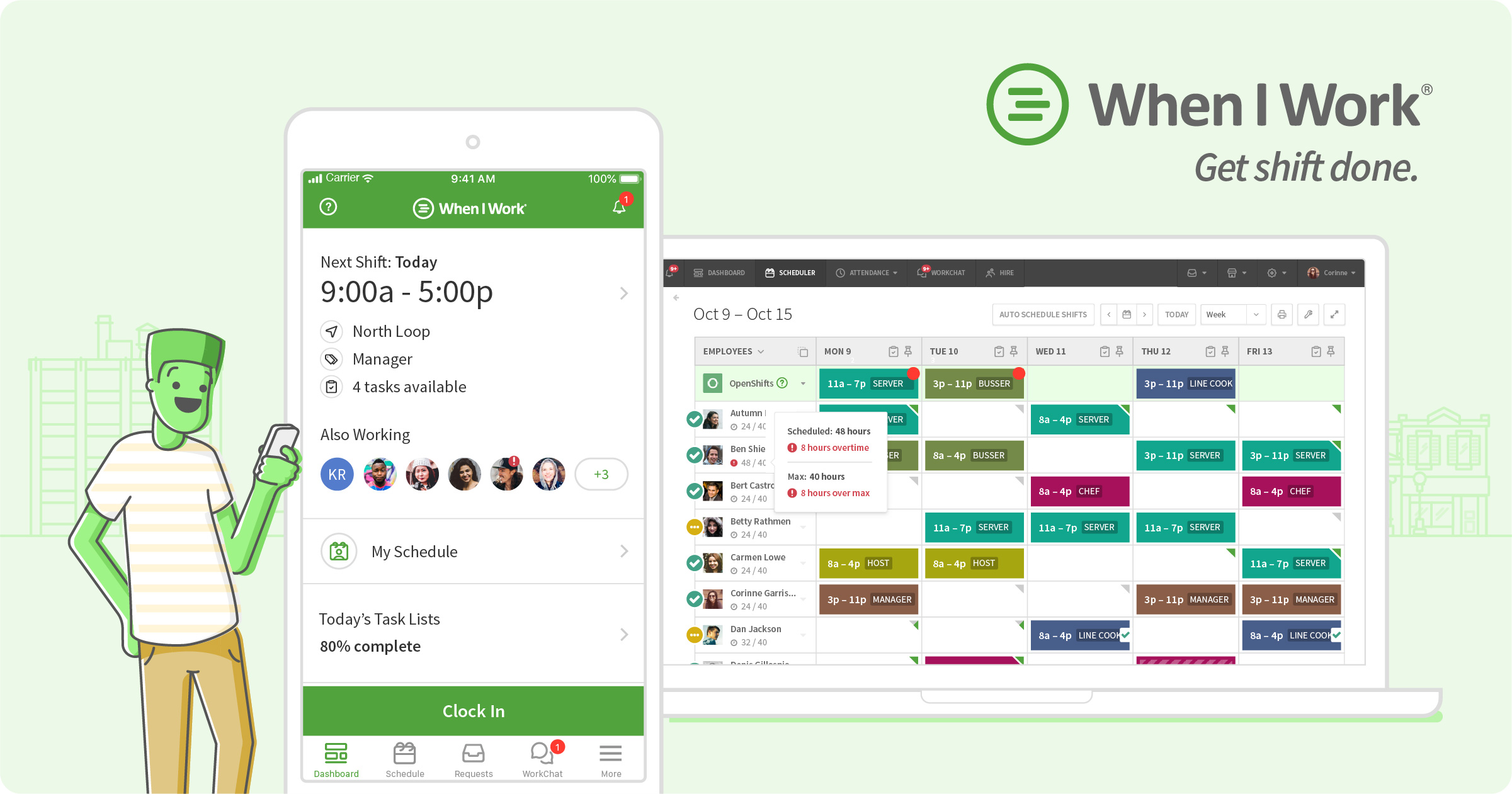
When I Work
Pros
- Builds a weekly schedule in minutes and pushes it to every employee's phone instantly
- Low per-user entry price and no contract — month-to-month, cancel anytime
- Processor-agnostic: slots next to any existing POS and syncs hours to Gusto, QuickBooks, Paychex, and Square Payroll
- Staff self-serve shift swaps and OpenShifts; managers approve instead of rebuild
- Time clock runs on any device via GPS or geofencing — no proprietary hardware
- Strong third-party marks (Capterra 4.5) with scheduling and ease of use the dominant praise
Cons
- Mobile app draws recurring quirks — and the app is how staff live in the product
- Time & Attendance is a paid add-on toggled on top of the per-user base price
- Per-seat cost adds up as the team grows
- Customization has limits for operators with unusual scheduling needs
- Real learning curve on the advanced scheduling rules and controls
- Some operators report occasional bugs
At a glance
- Pricing
- Paid
- From
- $2.50/user/mo
- Free trial
- Yes
- Best for
- Smb, Mid Market, Enterprise

Sling
Pros
- Genuinely free tier for up to 30 users — rare among restaurant scheduling tools
- Fast, flexible schedule-building with templates, shift offers, and long-term scheduling
- Labor-cost dashboard shows scheduling against actual sales once a POS is connected
- Runs in a browser and on iOS/Android with kiosk clock-in — no proprietary hardware
- First-class Toast and Toast Payroll integration for timesheet export and sales-vs-labor
- Overall ease of use is the dominant praise across reviews
Cons
- Scheduling only — not a POS, so you still need a separate point-of-sale and usually payroll
- Per-user cost ($2–$4/user/mo) adds up for large teams, and the step to paid tiers is a common gripe
- Mobile app draws recurring complaints from reviewers
- Some users report a learning curve before they are fully comfortable with it
- Limits on customizing workflows and views to a restaurant's exact needs
At a glance
- Pricing
- Freemium
- From
- $2.00/user/mo
- Free trial
- Yes
- Best for
- Freelancer, Smb, Mid Market, Enterprise

HotSchedules
Pros
- Demand-driven scheduling engine is the dominant praise — builds the week off real sales and labor data
- Deep labor-law compliance: overtime, Fair Workweek/predictive-scheduling, and minor-labor alerts configured by an in-house team
- Shift swaps, drops, and team messaging from a phone without exposing personal numbers
- Above-store visibility and reporting on labor cost and performance across many locations
- Syncs sales and labor data from PAR, Toast, Oracle Micros, and NCR Aloha POS to drive forecasts
- Scheduling bundles with payroll, HR, tip payouts, and earned wage access through the Fourth suite
Cons
- The employee app is the top complaint — reviewers call it clunky with login and access friction
- Historically a paid app download rather than free, a sore point versus competitors
- Price and higher tiers draw complaints as a group grows and adds modules
- Quote-only pricing — no public rate to compare before booking a demo
- Learning curve: takes time to set up and learn, hardest on smaller teams
- Support responsiveness is a recurring gripe after the sale
At a glance
- Pricing
- Quote Only
- Free trial
- No
- Best for
- Smb, Mid Market, Enterprise

7shifts
Pros
- Best-in-class scheduling: drag-and-drop, reusable templates, and schedules built against sales and labor targets
- Independent of any POS — integrates across Toast, Square, Clover, Lightspeed, TouchBistro and more
- Genuinely usable free Comp plan for a single location under 15 staff
- No proprietary hardware and no forced contract on standard plans — month-to-month if you want
- Labor compliance built in: break tracking, overtime warnings, and state-based rules
- Strong third-party reviews (Capterra 4.7 / 1,212) with scheduling as the dominant praise
Cons
- Cost climbs on the Pro and Premium tiers, and Tip Management is a paid add-on on top
- Time-clock kiosk experience has limitations reported by operators
- Occasional app crashes or slow loading
- Swapping several shifts at once is clunky
- Not a POS — you still need a separate point-of-sale and ordering system alongside it
At a glance
- Pricing
- Freemium
- From
- $39.99/location/mo
- Free trial
- Yes
- Best for
- Freelancer, Smb, Mid Market, Enterprise

Deputy
Pros
- Transparent published per-user pricing — $5/$6.50/$9 per user/mo, no quote needed for the main tiers
- Scheduling and ease of use are the dominant praise across reviews
- No proprietary hardware — staff clock in on a shared tablet kiosk or their own phones
- 31-day free trial with no credit card, plus month-to-month billing for seasonal swings
- Staff self-serve shift swaps, pickups, and drops from the mobile app
- Connects out to Square, Clover, Lightspeed POS and QuickBooks, Xero, Gusto, ADP for payroll
Cons
- Not a POS — does nothing for orders, kitchen display, online ordering, or inventory
- Mobile app draws recurring friction, which stings for a phone-first scheduling tool
- Occasional bugs and glitches reported by operators
- Support responsiveness can lag, and there is an initial setup learning curve
- Some integration limits connecting to specific POS or payroll systems
- $30 monthly minimum spend, and the $49 base fee makes Deputy Payroll weak for tiny rosters
At a glance
- Pricing
- Paid
- From
- $5.00/user/mo
- Free trial
- Yes
- Best for
- Smb, Mid Market, Enterprise
For most independent restaurants, the best employee scheduling software is 7shifts — it is built for restaurants, pulls sales and labor data from your POS to keep labor cost in line, and starts free for a single location. If you run on Toast, Sling by Toast is the natural pick; if labor compliance and above-store visibility across several units is the problem, HotSchedules earns its quote. None of these are a POS. They are the labor layer that sits beside it: build the roster, track the punches, control the labor line, and message the team.
The five tools below are the ones restaurant operators actually shop between. We ranked them on third-party review scores, how restaurant-native the scheduling engine is, honest pricing, and who each one genuinely fits. Jump to a pick or read the comparison table first.
At a glance #
- 7shifts — best overall for restaurants
- Deputy — best for time and attendance plus compliance
- Sling — best budget pick, and the default for Toast restaurants
- When I Work — best for fast scheduling on any device
- HotSchedules — best for multi-unit and enterprise labor compliance
1. 7shifts — best overall for restaurants #
7shifts is the only tool on this list built for restaurants and nothing else, which is why it reads least like generic shift software. Managers build the schedule against sales and labor targets, staff pick up and swap shifts from a free mobile app, and the platform connects to Toast, Square, Clover, Lightspeed, TouchBistro and Oracle MICROS to pull the sales numbers that drive a cost-controlled roster. It layers on time clocking, labor-compliance warnings, a manager log book, tip pooling, and its own payroll and on-demand pay as separate products. The vendor says it is used by 55,000-plus restaurants.
Price: a genuinely free Comp plan covers one location up to 15 employees. Paid plans run Essentials, Pro and Premium — list pricing renders in CAD (7shifts is a Saskatoon company) at roughly $40, $80 and $135 per month per location on annual billing, with employee caps rising at each tier. Tip Management is a $49.99/month/location add-on, or bundled into Premium. No contract on standard plans; term agreements exist only for Enterprise discounts. 14-day free trial, no card required.
One honest caveat: the tier jumps add up — advanced time clocking and compliance sit on Pro, and the paid Tip Management add-on frustrates operators who expected it included. Reviewers also report occasional mobile-app crashes and friction swapping several shifts at once.
Best for: independent and multi-unit restaurants that want a restaurant-native scheduler wired to their POS, with room to add payroll later. Capterra 4.7 across 1,212 reviews.
2. Deputy — best for time and attendance plus compliance #
Deputy is a workforce-management platform used well beyond restaurants, which cuts both ways: the scheduling-plus-time-clock engine is excellent and the pricing is the most transparent here, but tip pooling and POS-sales-driven templates lean on integrations rather than shipping restaurant-first. Staff clock in on a shared iPad kiosk or their own phone, approved timesheets convert to payroll-ready hours, and Deputy syncs to Square, Clover, Lightspeed and Revel on the POS side and to Gusto, ADP, Paychex, QuickBooks and Xero on the pay-and-books side.
Price: published per user per month — Lite $5, Core $6.50, Pro $9 — with a $30/month minimum spend and a 31-day free trial, no card required. A Deputy Payroll add-on (enabled by Paycor) runs $8/user plus a $49 monthly base fee, so it only pencils for larger rosters.
One honest caveat: reviewers cite occasional bugs and glitches, mobile-app friction, and support-response gaps; as a horizontal tool it lacks some restaurant niceties out of the box. On an annual plan you cannot drop the plan or lower your employee count mid-term.
Best for: single-site and multi-unit restaurants that want rock-solid time and attendance and transparent per-seat pricing. Capterra 4.6 across 773 reviews.
3. Sling — best budget pick, and the default for Toast restaurants #
Sling is now Sling by Toast, which makes it the obvious scheduler for a Toast restaurant: it syncs employee data with Toast, compares Toast POS sales against Sling labor cost, and exports timesheets straight to Toast Payroll. It also connects to Square and a handful of other POS systems. The free tier is the real draw — shift scheduling, time-off requests, open shifts and messaging for up to 30 users at no cost.
Price: Free up to 30 users; Premium $2.00/user/month adds mobile time tracking, labor-cost management and overtime tracking; Business $4.00/user/month adds kiosk time tracking, reporting, and no-show and sick-call-out tracking. Annual billing saves about 15 percent; 15-day free trial.
One honest caveat: the paid tiers draw price complaints at scale, there is a learning curve, and the mobile app and customization limits come up repeatedly in reviews.
Best for: single-unit and small operators who want a free start, and any Toast restaurant that wants labor cost and payroll on the same rails. Capterra 4.6 across 212 reviews.
4. When I Work — best for fast scheduling on any device #
When I Work wins on speed and low per-seat cost: build the week in minutes, auto-schedule against a sales and labor budget, and turn any phone or tablet into a GPS or geofenced time clock. Team messaging works without staff sharing personal phone numbers. It is processor-agnostic and connects to payroll and POS tools, marketing Rippling as its preferred payroll partner alongside Gusto, Square Payroll, Paychex and QuickBooks Online.
Price: per user per month — Essentials $2.50, Pro $5, Premium $8 — with no contract and a 14-day free trial, no card required. Note the catch: Time Tracking and Attendance is a paid add-on toggled on top of any plan, not included in the base per-seat price.
One honest caveat: because time and attendance costs extra, the real all-in per-seat price is higher than the headline. Reviewers flag mobile-app quirks, customization limits, a learning curve, and the occasional bug.
Best for: cafes, bars and restaurants that want the fastest path from "build it" to "staff have it," on whatever devices the team already carries. Capterra 4.5 across 1,300 reviews — the largest sample here.
5. HotSchedules — best for multi-unit and enterprise labor compliance #
HotSchedules, now part of Fourth's workforce suite, is one of the oldest scheduling brands in hospitality and skews enterprise. Managers build demand-driven schedules from real sales and labor data, and the platform enforces overtime, Fair Workweek and minor-labor rules across jurisdictions — the reason larger groups pick it. It syncs sales and labor from PAR, Toast, Oracle Micros and NCR Aloha, and the wider Fourth stack adds payroll, HR, tip payouts and earned wage access.
Price: quote only. The pricing page resolves to a demo form; cost scopes to location count and modules. Fourth is currently promoting a "1 year of HotSchedules on us" offer, with terms it does not detail publicly.
One honest caveat: the employee mobile app is the top complaint — reviewers call it clunky, cite login friction, and note it has historically been a paid download rather than free like rival apps. Price, setup learning curve and support responsiveness also come up.
Best for: multi-unit and enterprise restaurant groups that need above-store scheduling and cross-jurisdiction compliance, and are willing to work a quote. Capterra 4.4 across 462 reviews.
Comparison #
| Software | Starting price | Best for | Rating (Capterra) |
|---|---|---|---|
| 7shifts | Free; paid from ~$40/mo/location | Restaurant-native scheduling overall | 4.7 (1,212) |
| Deputy | $5/user/mo ($30/mo minimum) | Time and attendance plus compliance | 4.6 (773) |
| Sling | Free up to 30 users; $2/user/mo | Budget, and Toast restaurants | 4.6 (212) |
| When I Work | $2.50/user/mo (time clock extra) | Fast scheduling on any device | 4.5 (1,300) |
| HotSchedules | Quote only | Multi-unit and enterprise compliance | 4.4 (462) |
How we picked #
We read each vendor's live pricing and product pages and recorded what is published versus quote-only, then pulled third-party review scores from Capterra and G2 — never an invented number. We weighed how restaurant-native the scheduling engine is (does it drive the roster off POS sales, or treat a kitchen like any other shift floor), the honesty of the pricing, and the real complaints in operator reviews, not just the praise. Rankings are editorial and are not paid placements; read our methodology. For the wider labor stack, see the restaurant employee scheduling software pillar.
Frequently Asked Questions
For most restaurants it is 7shifts — it is built for restaurants, pulls sales and labor data from your POS to control the labor line, and starts free for one location. Deputy and When I Work are strong, transparently priced alternatives, Sling is the budget and Toast-native pick, and HotSchedules fits multi-unit operators who need deep labor compliance.
Budget tools start around $2 to $5 per user per month (Sling, When I Work, Deputy), with free tiers at Sling and 7shifts. 7shifts paid plans run roughly $40 to $135 per month per location. When I Work charges extra for time and attendance on top of the per-seat price, and HotSchedules is quote-only. Most are month-to-month with a free trial.
No. Every tool here is the labor layer, not a point-of-sale or payment processor. They sit alongside your POS and integrate with it — pulling sales to build cost-controlled schedules and pushing worked hours to payroll — but you still need a POS to take orders and payments.
Sling, now branded Sling by Toast, is the most natural fit: it syncs employees with Toast, compares Toast sales against Sling labor cost, and exports timesheets to Toast Payroll. 7shifts, Deputy, When I Work and HotSchedules also integrate with Toast among other POS systems.
Yes — that is the point. When connected to your POS, they let managers build the schedule against forecasted sales and a labor budget, show labor as a percent of actual sales, and flag overtime before it happens. 7shifts and HotSchedules drive this from restaurant sales data; Deputy and When I Work forecast coverage against a labor budget.
Yes. Sling is free for up to 30 users and 7shifts has a free Comp plan for one location up to 15 employees. Both cover core scheduling, time-off requests and messaging; paid tiers add time tracking, labor-cost reporting and compliance tools.