
For this guide we tested and reviewed the platforms hands-on wherever a trial or demo was available, and verified each price against the vendor's own pricing page before publishing.
7shifts is the dedicated scheduling and labor platform most independent restaurants reach for once a POS's built-in staffing tools stop keeping up — strongest on scheduling, time clocking, and labor-cost control, with a genuinely usable free tier for one small location. The catch: it is not a POS and never will be, so you run it alongside one, and the features most operators actually want — advanced time clocking, labor compliance, tip pooling — sit on the Pro and Premium tiers, which is where the monthly cost climbs.
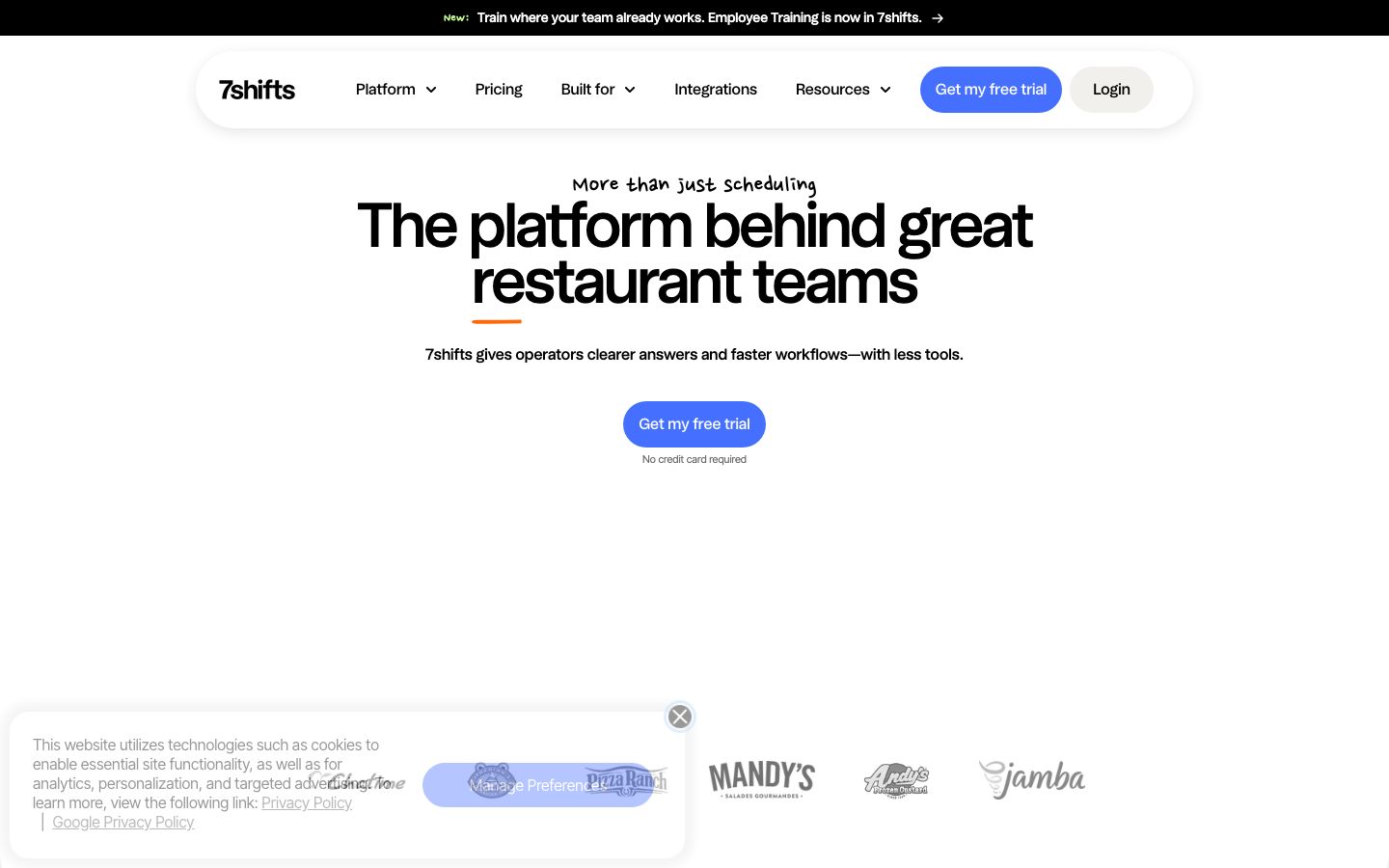
7shifts is restaurant workforce software — scheduling, time clocking, tip management, and payroll — not a point-of-sale or an accounting suite; it connects to your POS rather than replacing it.
What Is 7shifts #
7shifts is a cloud-based team-management system built specifically for restaurants. It owns the staffing side of the operation: scheduling, team communication, time clocking, labor compliance, tip pooling and distribution, hiring and onboarding, employee training, and — through separate products — restaurant payroll and on-demand pay. Because it is an independent Canadian company rather than a POS vendor's side module, it integrates across competing point-of-sale systems instead of locking you to one.
The vendor states it is used by more than 55,000 restaurants and 1.5 million restaurant professionals (a marketing claim stated on its pricing page). It covers the full range of formats — full service, quick service, cafés and coffee shops, bars and breweries, pizzerias, pubs, bakeries, catering, franchises, and multi-location groups — and its plan structure maps to how many employees each location runs.
The through-line is cost-controlled staffing in one loop: a manager builds next week's schedule against forecasted sales and a labor target, staff check shifts and set availability from their phones, everyone punches in on a tablet at the counter, and those hours flow into compliance checks, tip pools, and payroll without anyone re-keying a spreadsheet. That is the daily job 7shifts is built to do, and the reason operators run it next to — not instead of — their POS.
Features #
Scheduling #
Scheduling is the core, and it is the module reviewers praise most. Managers build schedules with drag-and-drop, save and reuse templates, and track availability and time-off requests in one view. Crucially, the schedule is built against sales and labor targets pulled from the POS, so a manager staffing a Friday dinner can see projected labor cost as a percentage of forecasted sales before publishing — not after the shift is over. Basic Scheduling is on the free Comp plan; Advanced Scheduling (auto-scheduling, templates, labor budgeting) starts on Essentials.
Time clocking #
7shifts' time clock, 7punches, runs on off-the-shelf tablets, computers, smartphones, or the POS device itself — there is no proprietary hardware to buy. Staff punch in and out, the system tracks breaks for compliance, and it warns a manager before an employee tips into overtime rather than surfacing it on the next payroll run. Advanced Time Clocking is a Pro-tier capability.
Labor compliance #
For multi-state operators, 7shifts adds state-based labor-law warnings and reports, custom break attestations, and break tracking so meal-break and scheduling rules are enforced as the schedule is built. This sits at the Pro level and above.
Tip management #
Tip pooling and distribution — splitting tips by role, hours worked, or sales — is a paid add-on at around $49.99 per month per location, and it is bundled into the Premium plan. For a tip-heavy full-service house or bar, this is often the feature that decides which tier you actually land on.
Team communication, hiring, and training #
Announcements and team messaging keep shift swaps and call-outs off the group text, with a record attached to each shift. Hiring and onboarding tools handle applicants, offers, and document storage; the newer Train module builds microlearning courses with an AI course builder; and a Manager Log Book captures daily shift notes so the next manager walks into service already briefed. Team-performance and engagement tools round out the retention side — in a category where turnover is the quiet killer of labor cost, that is more than a checkbox.
Permissions, departments, and customization #
Role-based permissions and departments let an owner give a general manager full schedule control while a shift lead sees only their station, and multi-department houses (kitchen, front of house, bar) can schedule and cost each one separately. Customization tools and the integration set are tier-gated — Basic Integrations on the lower plans, Advanced Integrations higher up — so a single café and a 20-unit franchise configure the same product very differently.
Payroll and on-demand pay #
Restaurant payroll and earned-wage access are separate paid products. Payroll turns the hours and tips 7shifts already tracks into pay without re-entry, and on-demand pay (Tip Payouts) lets staff draw earned wages between pay periods — a retention lever in a high-churn labor market.
Integrations #
This is where 7shifts earns its spot beside the POS. It pulls sales and labor data from the point-of-sale — named partners include Toast, Square, Clover, Lightspeed, TouchBistro, Revel, Aloha (NCR), Oracle MICROS, Focus, GoTab, and CAKE — to build the cost-controlled schedules above. It pushes approved hours to payroll through Gusto and ADP (or its own payroll product), syncs labor data to QuickBooks for accounting, and connects to Craftable on the inventory side. A Partner API covers integrations beyond the named list. In practice that means one chain of data: a sale rings on the POS, 7shifts reads the sales and labor feed to build a schedule to a target, staff punch in against that schedule, and the resulting hours and tips land in payroll — the manager touches the schedule once instead of reconciling three systems at close.
Reporting #
Labor and sales reporting ties actual labor cost back to sales so an owner can see where a shift ran hot; 7shifts also publishes a free Labor Cost Calculator and an ROI calculator on its site. Deeper reporting and the broader integration set are tier-gated.
Pricing #
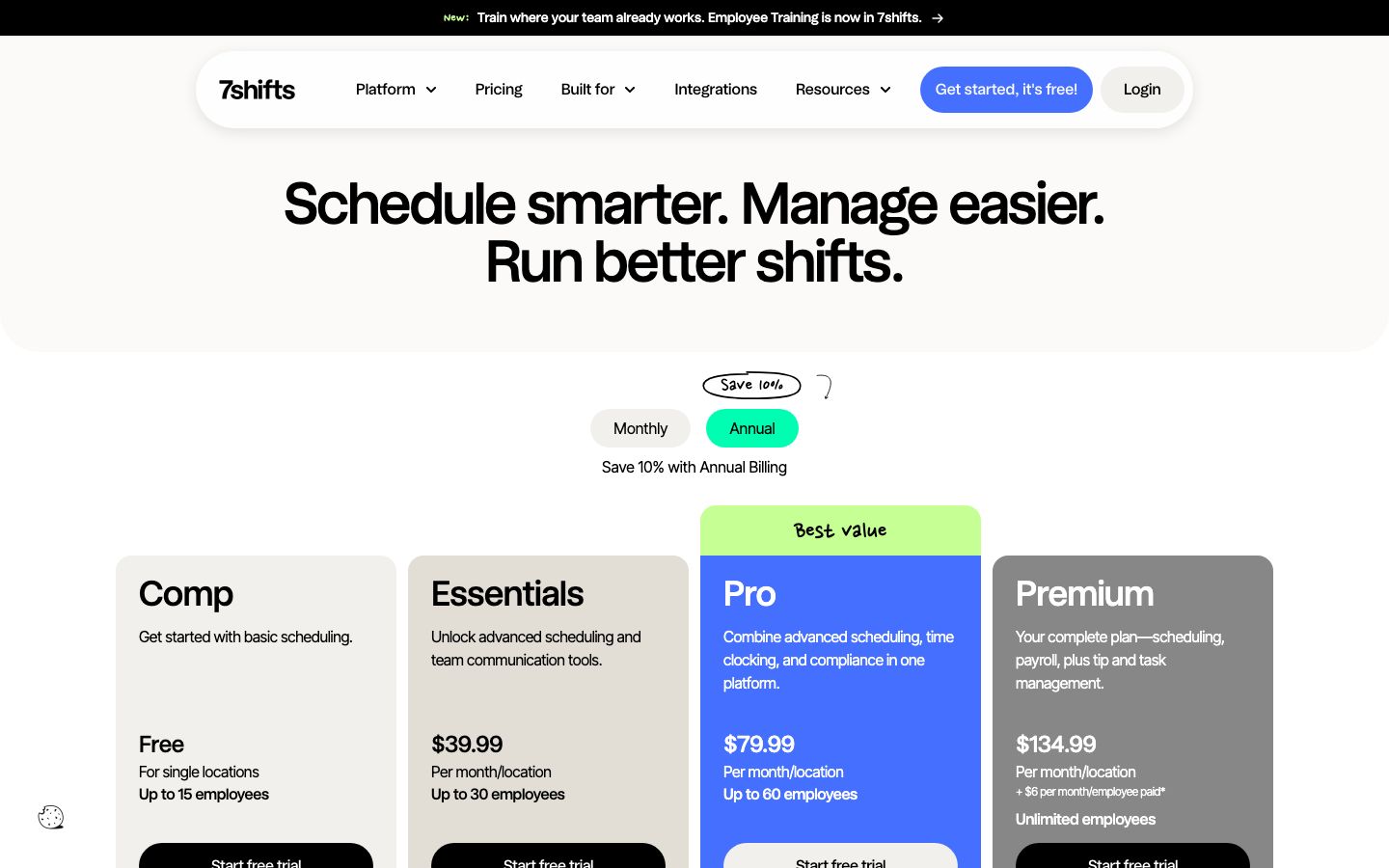
Priced per location, billed monthly or annually, with annual running roughly 10% below monthly. The figures below are the live list prices — displayed in Canadian dollars, since 7shifts is a Canada-based vendor and the pricing page renders by geo; the same numeric tiers carry across currencies.
| Plan | Monthly | Annual (per mo) | Employee cap | What you get |
|---|---|---|---|---|
| Comp | Free | Free | Single location, up to 15 | Basic scheduling |
| Essentials | $44.99 | $39.99 | Up to 30 | Advanced scheduling + team communication |
| Pro | $89.99 | $79.99 | Up to 60 | Adds advanced time clocking + labor compliance |
| Premium | $149.99 | $134.99 | Unlimited | Full suite — scheduling, tip & task management |
Tip Management is about $49.99 per month per location as an add-on, or comes bundled into Premium. There is a 14-day trial of the top feature set with no credit card required; when it ends you drop to the free Comp plan or subscribe.
On billing terms, 7shifts is refreshingly plain: no forced contract on the standard plans, monthly or annual is your call, and if you cancel you are billed for the current month and not again. Term agreements apply only to Enterprise discount pricing, and franchise or group discounts are quoted on request. You pay by credit card, or ACH by request. Because 7shifts is not a payment processor, there is no card-processing rate and no proprietary hardware cost — the subscription is the whole bill, plus any add-on or payroll product you turn on.
Who It's For (and Who It Isn't) #
Good fit: independent and multi-unit restaurants — full service, quick service, fast casual, bars, cafés, pizzerias — that have outgrown a POS's built-in staffing tools and want dedicated scheduling, labor-cost control, and team communication in one system, optionally with integrated payroll. The fit is concrete by segment: a full-service house or bar leans on tip pooling and compliance-grade break tracking; a quick-service operator fighting high turnover leans on fast onboarding, training, and self-serve shift swaps; a multi-location group leans on department-level costing and schedules that roll up across sites. The free Comp plan is a real option, not a crippled demo, for a single location under 15 staff. Franchises and multi-location groups are a core segment, handled through custom and term-agreement pricing.
Weaker fit: anyone shopping for a POS, online ordering, or an accounting system — 7shifts does none of those and has to be paired with a point-of-sale. A very small operator whose POS already bundles scheduling may not need a second subscription. And since advanced time clocking, compliance, and tip pooling begin at Pro and Premium, a budget-sensitive single location should price the tier it will actually land on rather than the free plan it starts on.
Is It Legit and Worth It? #
7shifts is a well-established, independent Canadian company — founded in 2014 and headquartered in Saskatoon — focused only on restaurant workforce management, which is why it integrates broadly across competing POS systems instead of favoring one. It carries one of the strongest third-party review profiles in the category: Capterra 4.7 from 1,212 reviews, G2 4.5 from 129. Scheduling is the dominant praise, followed by ease of use and the breadth of POS integrations. The common switching story matches that profile — operators moving off an older, paid, or clunky scheduling app tend to arrive for the smoother phone experience and the free entry tier, then stay for the labor-cost control once sales data is wired in from the POS.
The honest cons are worth pricing in before you commit. The most common complaint is cost — the jump to Pro or Premium, plus the paid Tip Management add-on, adds up quickly across several locations. Operators also cite limitations in the time-clock kiosk experience, occasional app crashes or slow loading, and friction when swapping several shifts at once. None of these undercut the scheduling engine, which is what most buyers come for and what the reviews reward — but if your main need is tip pooling, budget for the add-on or the Premium tier from the start rather than treating it as a free extra.
Alternatives #
- Restaurant365 — all-in-one accounting, inventory, and scheduling; worth weighing if you want labor folded into a single back-office system rather than a standalone scheduler.
- Toast — if you already run Toast, its Team and Payroll suite includes scheduling, so a second tool may be redundant; 7shifts is the pick when you want deeper, processor-agnostic scheduling across whatever POS you use.
- Square for Restaurants — bundles Team management and scheduling into the POS for smaller operators who would rather keep one vendor than add a dedicated scheduler.
- Compare the field in our restaurant employee scheduling software guide.
Login & Support #
Managers and staff sign in at app.7shifts.com or through the 7shifts iOS and Android apps (the "Login" link in the site header). Support runs through the Help Center and knowledge base, a contact form to customer support, and 7shifts Academy, a set of free certification courses. Support depth scales with your plan tier.
Estimate your 7shifts cost
Uses published $39.99/location/mo starting rate. Updates as you type.
Estimator uses vendor-published list rates as anchor. Actual quotes vary by add-ons (member reporting, class scheduling, payment data feeds, active members tier) — request a written quote before signing.
Book a 7shifts demo
Vendor-facilitated. We forward your request to their sales team within 24 hours.
- Choose a preferred date + time slot
- 30-minute product walkthrough
- Custom pricing based on your seat count
Screenshots
Pros
- Best-in-class scheduling: drag-and-drop, reusable templates, and schedules built against sales and labor targets
- Independent of any POS — integrates across Toast, Square, Clover, Lightspeed, TouchBistro and more
- Genuinely usable free Comp plan for a single location under 15 staff
- No proprietary hardware and no forced contract on standard plans — month-to-month if you want
- Labor compliance built in: break tracking, overtime warnings, and state-based rules
- Strong third-party reviews (Capterra 4.7 / 1,212) with scheduling as the dominant praise
Cons
- Cost climbs on the Pro and Premium tiers, and Tip Management is a paid add-on on top
- Time-clock kiosk experience has limitations reported by operators
- Occasional app crashes or slow loading
- Swapping several shifts at once is clunky
- Not a POS — you still need a separate point-of-sale and ordering system alongside it
Frequently Asked Questions
Similar Restaurant Employee Scheduling Software Tools
User Reviews
Write a reviewNo reviews yet for 7shifts.
Be the first to review